[Just Launched] Auction Axis

[Just Launched] Auction Axis

Read value before price expands.

→ Explore the 4 Trading Intelligences

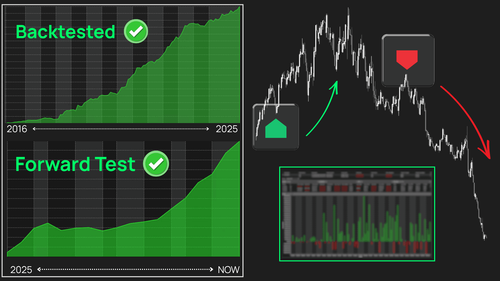
New Horizon: 1.5-year forward & 9-year backtest

New Horizon: 1.5-year forward & 9-year backtest

9-year backtest: Profit Factor 1.26, over $348,000 in total profit.
1.5-year forward test: Profit Factor improved to 1.30, with more than $119,000 in profit.

👉 Take a closer look at the performance behind these results.

Ready-to-Buy Pricing

Ready-to-Buy Pricing

A clearer way to understand product pricing

Learn about R2B pricing →

Fully Automted Order Flow

Fully Automted Order Flow

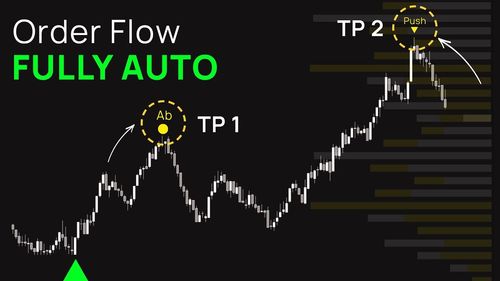
Enter with confirmed Order Flow strength. Exit when the edge starts to fade.

➡️ See the full workflow on the chart.

2 indicators. 1 structured CCI workflow

2 indicators. 1 structured CCI workflow

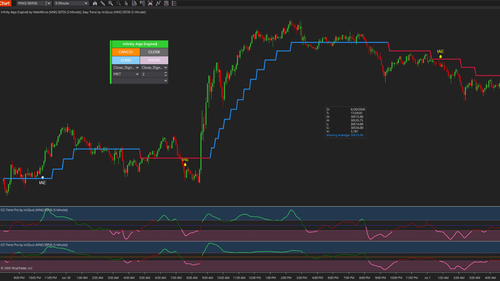
Double CCI combines CCI Trend Pro and Easy Trend into one structured CCI workflow

👉 See the framework in action

[July Exclusive] Liberty Edge Bundle

[July Exclusive] Liberty Edge Bundle

From market analysis to trade execution — in one structured workflow.

→ Explore Liberty Edge bundle

[AbsP] Double CCI bundle

Double CCI for NinjaTrader

Trade CCI momentum with cleaner trend context

Double CCI combines CCI Trend Pro and Easy Trend into a structured trend-and-momentum workflow for NinjaTrader.

CCI Trend Pro helps you read momentum direction and strength. Easy Trend helps you keep the broader trend visible before acting on a signal.

Together, they help you focus on CCI momentum shifts that align with the current market direction – instead of treating every CCI move as a trade opportunity.

For traders who want to go further, Captain Optimus Strong v2 can be added as the automation layer to turn this logic into a more controlled NinjaTrader strategy workflow.

A CCI signal means more when the trend agrees

CCI can be useful for reading momentum shifts.

But a CCI cross alone does not always tell you whether the move has enough trend context behind it.

A moving average can show direction, but it does not always show when momentum is shifting.
CCI can show momentum, but it can also trigger while price is still fighting the broader trend.
And even when the setup is valid, manual execution can still create late entries, missed triggers, or inconsistent exits.

The issue is not a lack of signals.

The issue is the gap between trend context, momentum confirmation, and execution discipline.

Double CCI was built to help close that gap with a cleaner process:

Trend first. Momentum second. Execution last.

A simple sequence for trend-aligned CCI trading

Double CCI is built around a practical trading sequence that is easy to read and easier to repeat.

1

Define the trend environment

Easy Trend acts as the trend filter.

It keeps market direction visible on the chart, so you can decide whether long setups or short setups deserve more attention.

2

Confirm the CCI momentum shift

CCI Trend Pro helps identify when momentum shifts direction and whether that movement has enough strength behind it.

Using 2 CCI views gives the setup more structure: one can read the main momentum shift, while the other helps confirm that momentum is already aligned.

3

Wait for price confirmation

Instead of entering only because CCI crosses a level, the workflow can wait for price to confirm the signal bar.

This helps turn the setup from a visual signal into a more rule-based process.

4

Add automation when needed

Double CCI can be used manually with CCI Trend Pro and Easy Trend.

When combined with Captain Optimus Strong v2, the same logic can move into automated entries, rule-based exits, Strategy Analyzer testing, and execution protection.

That is where the workflow moves from indicator reading into more systematic strategy operation.

2 indicators. 1 structured CCI workflow.

Double CCI combines CCI Trend Pro and Easy Trend because each product answers a different trading question.

Easy Trend

What side of the market should you focus on?

CCI Trend Pro

Is momentum shifting in that same direction?

Together, they create a cleaner way to read CCI momentum inside trend context.

CCI Trend Pro

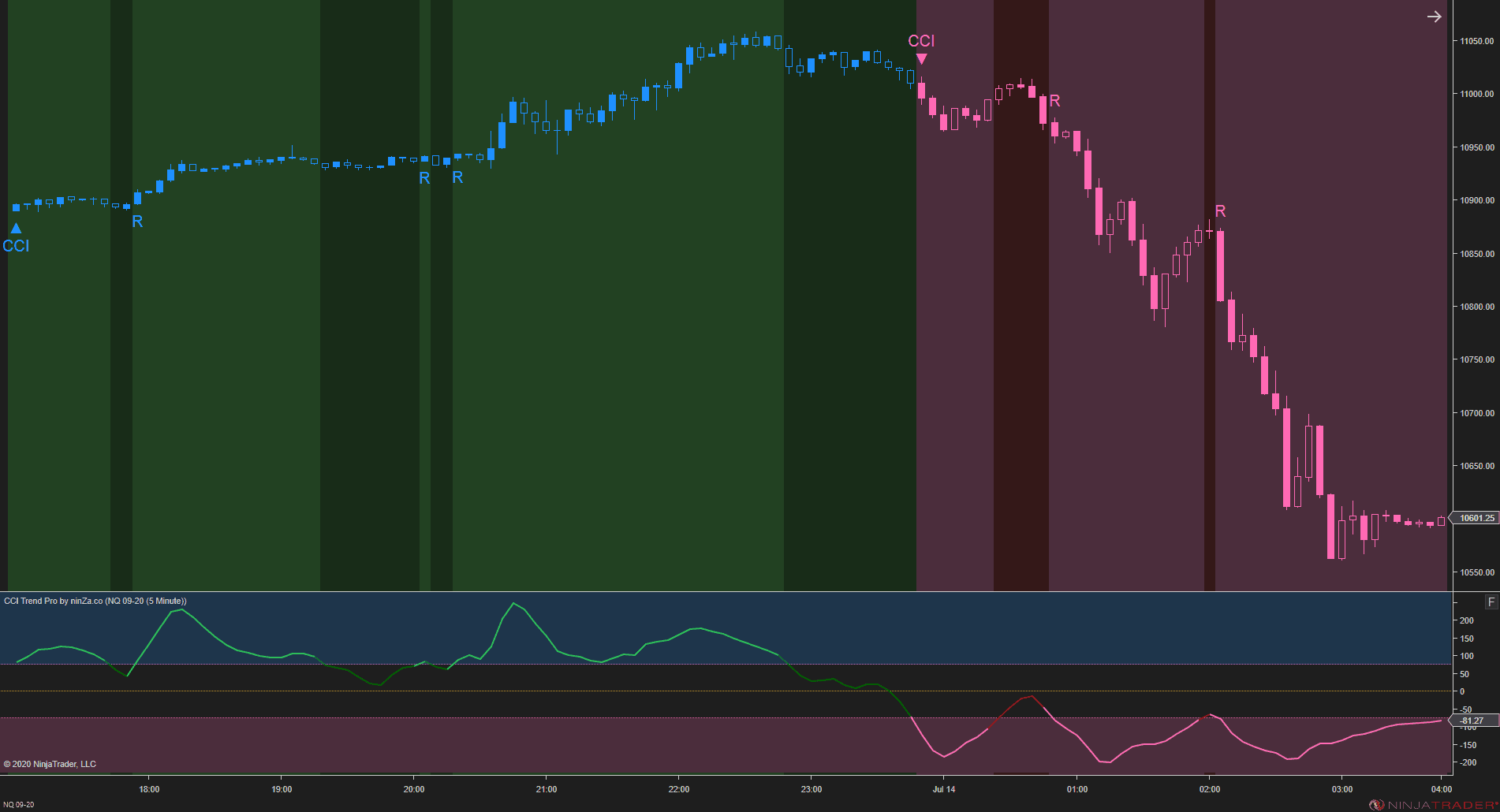
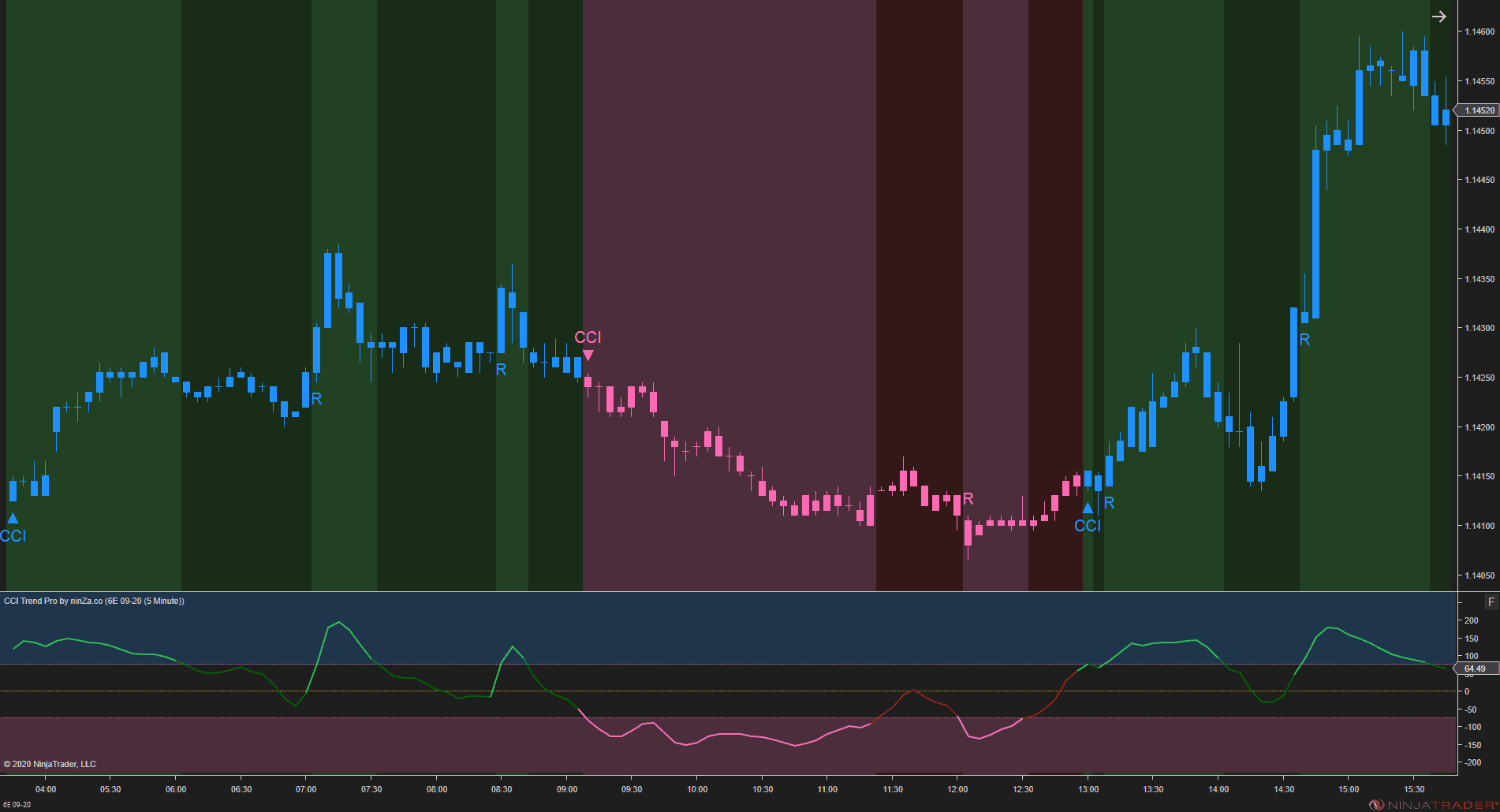
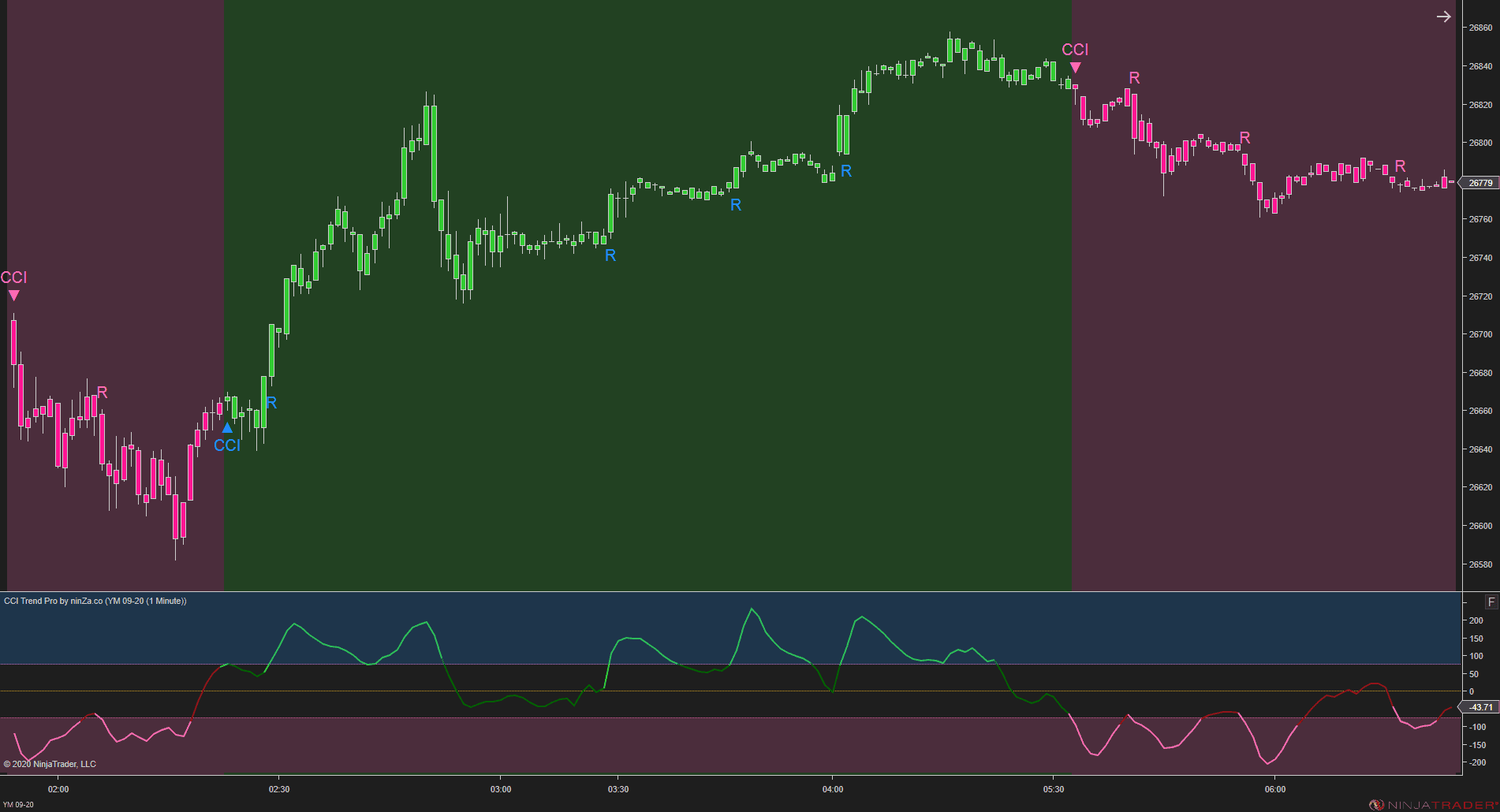
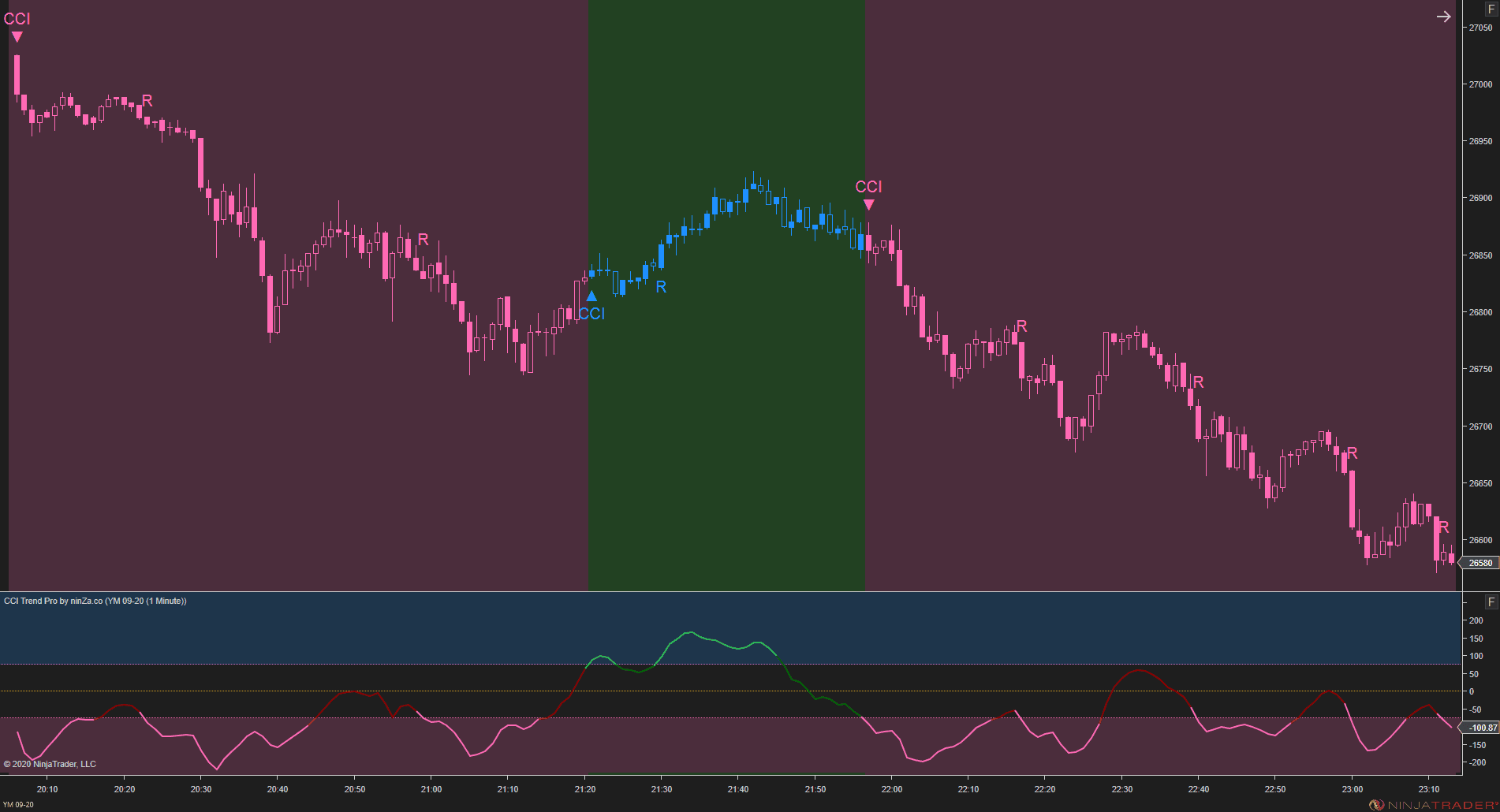
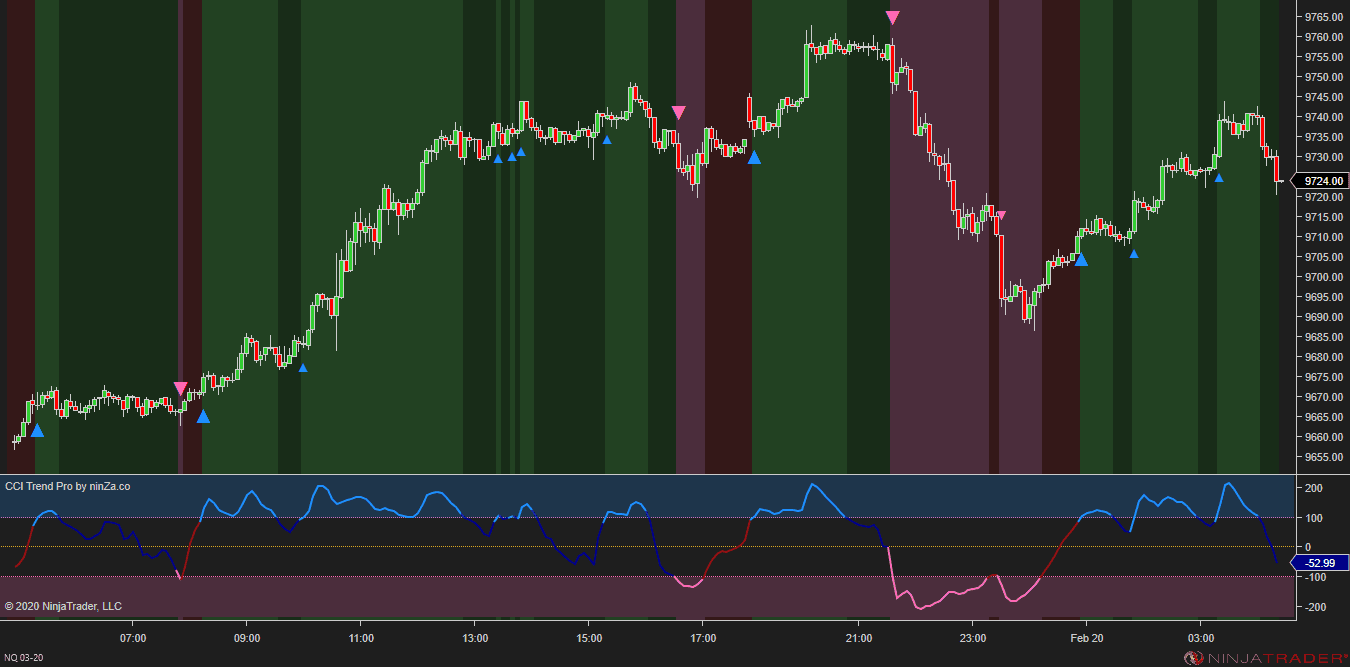
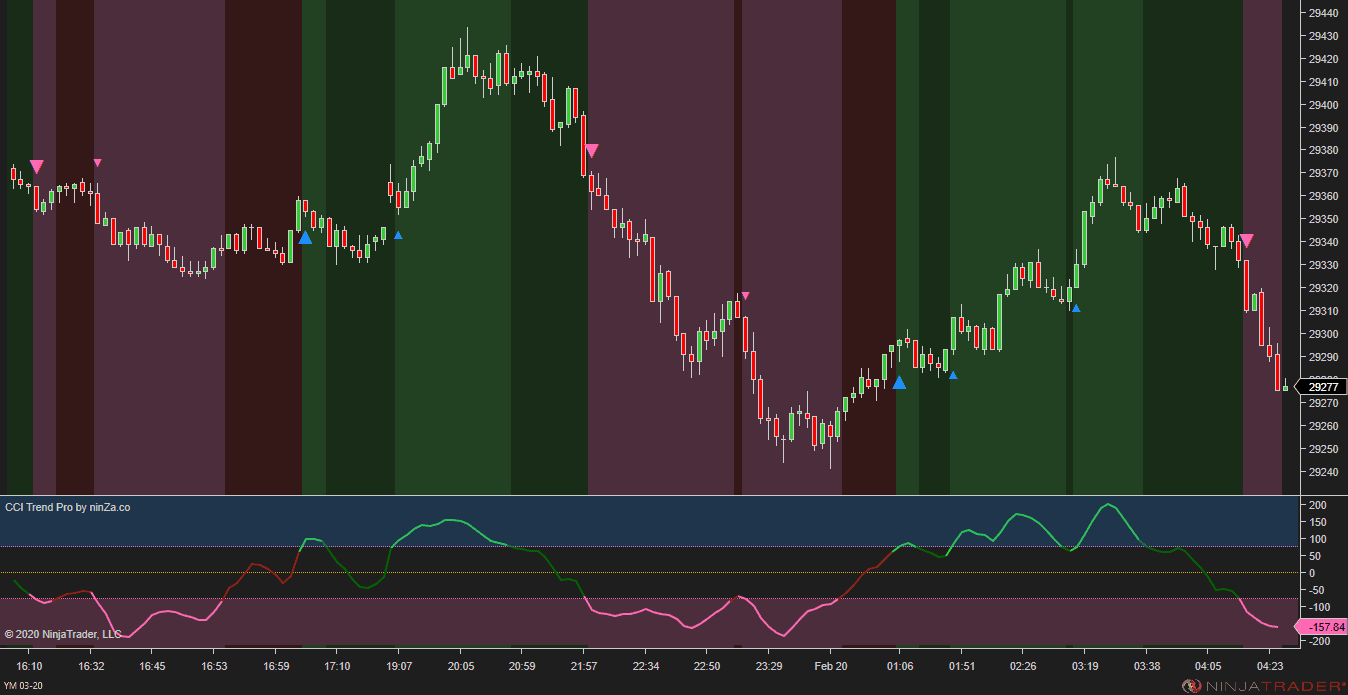
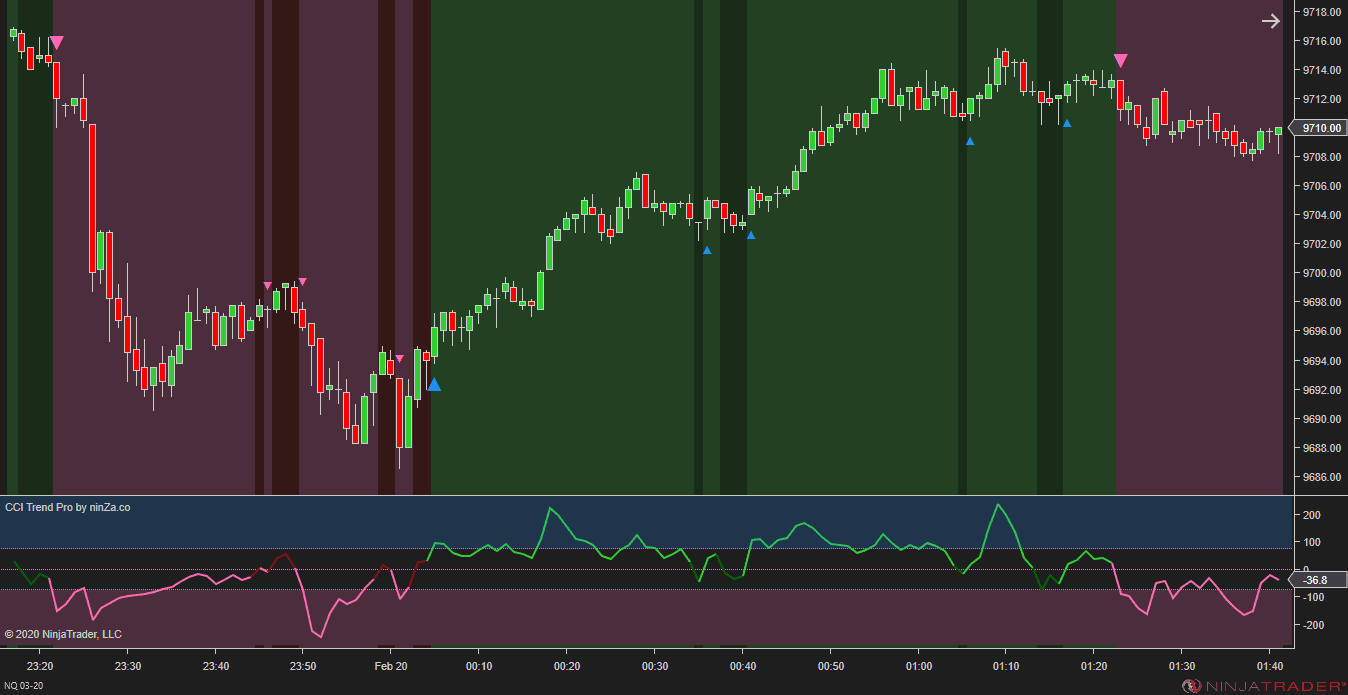
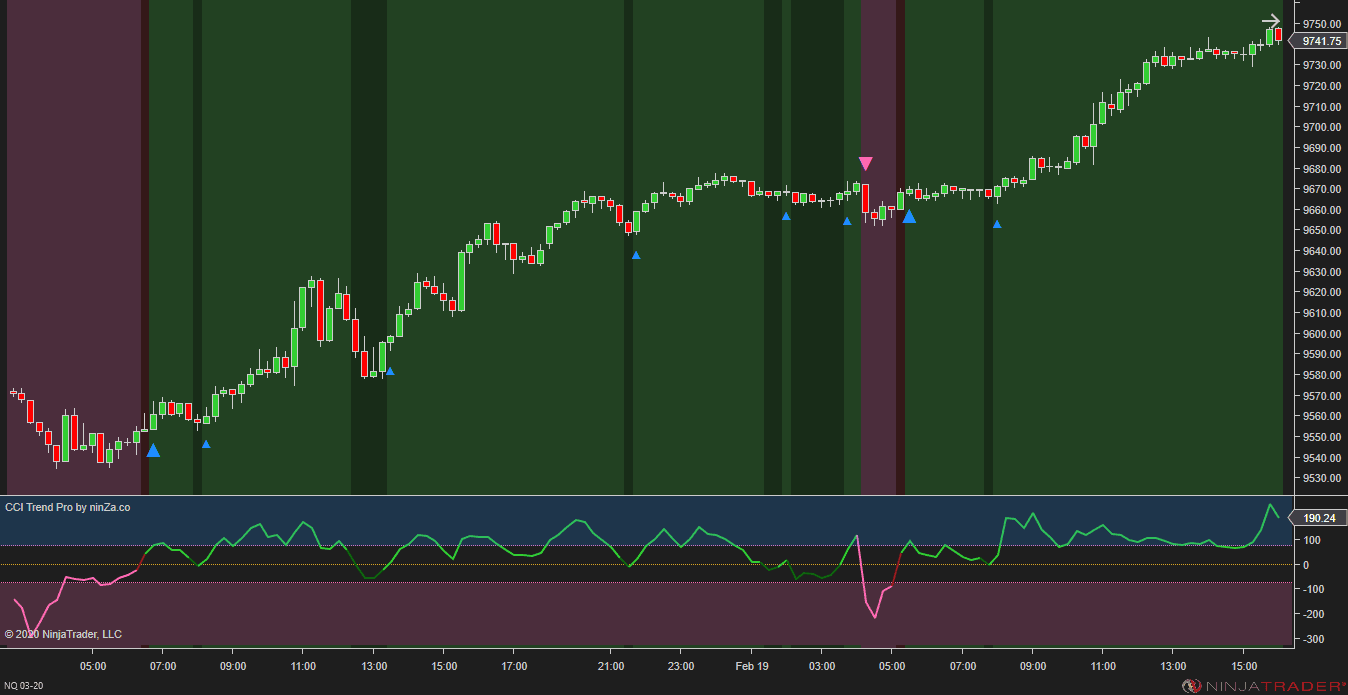
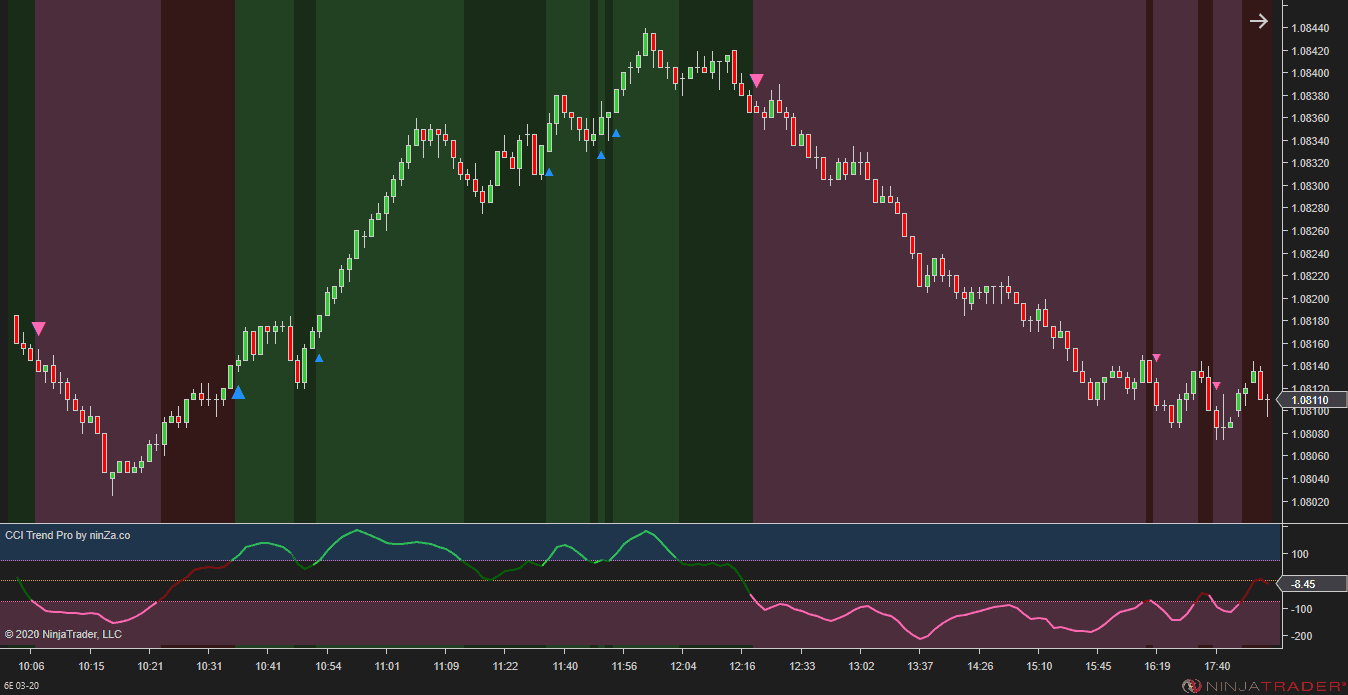
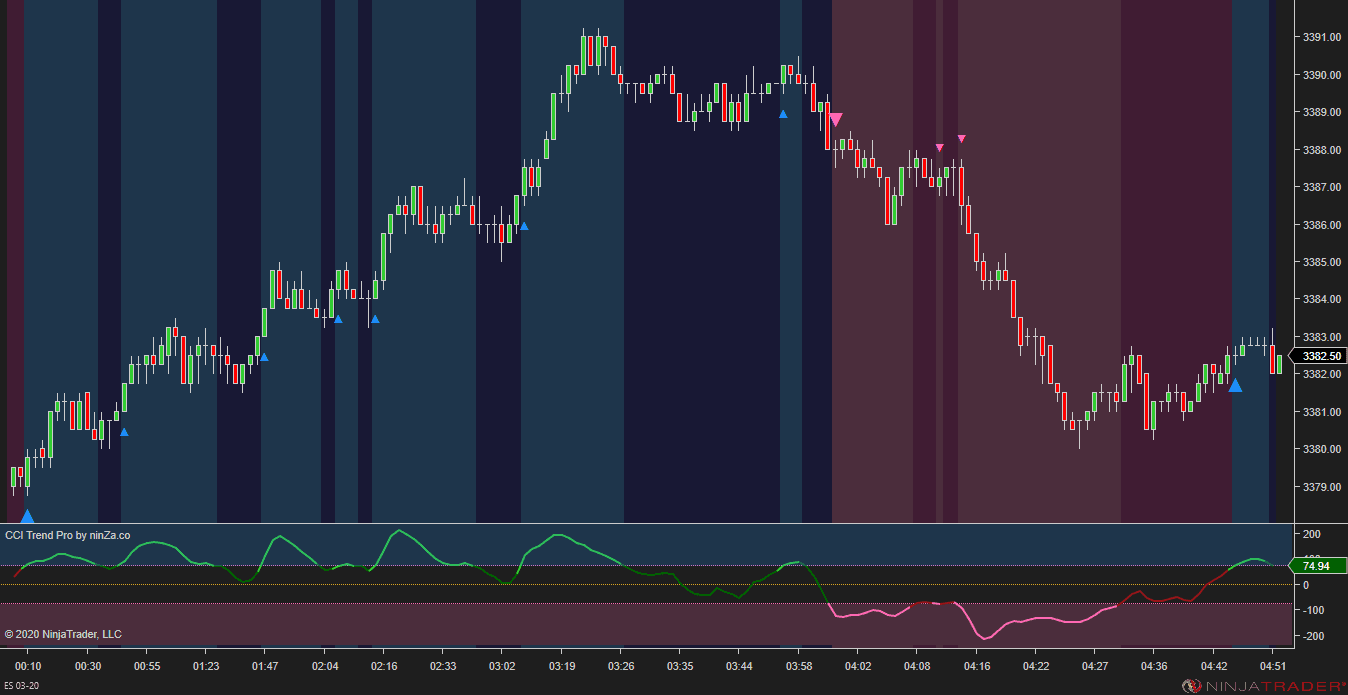
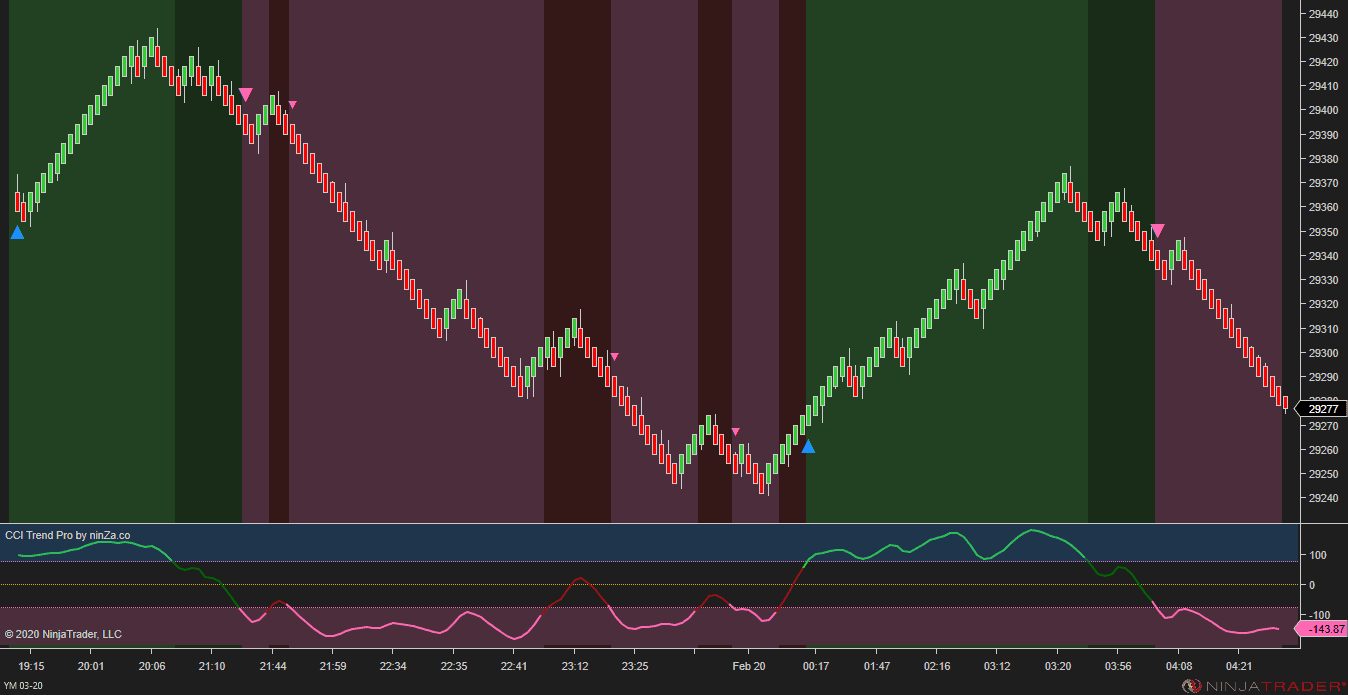
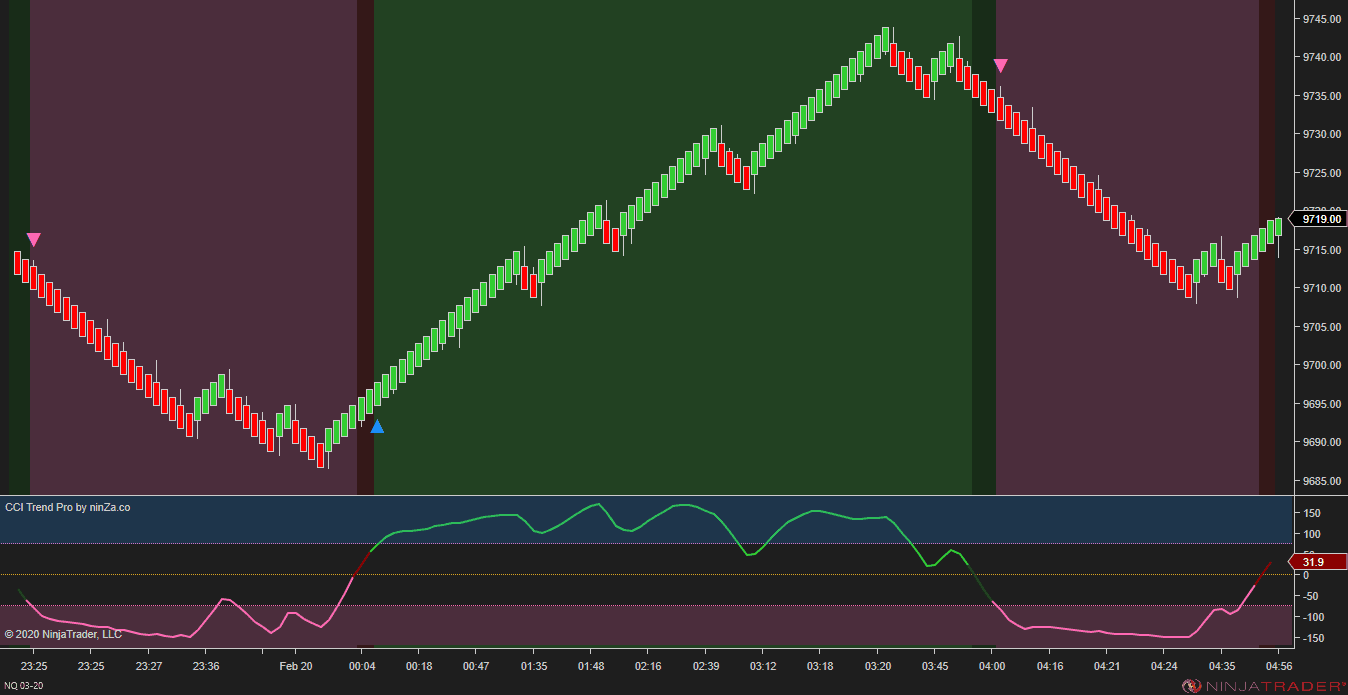
Read CCI momentum beyond a basic cross

CCI is useful because it helps show when momentum is shifting.

But in live trading, a basic CCI cross can be too limited. It may show direction, but not enough context around strength, trend phase, or whether momentum is actually resuming.

CCI Trend Pro gives CCI a more structured role in your workflow.

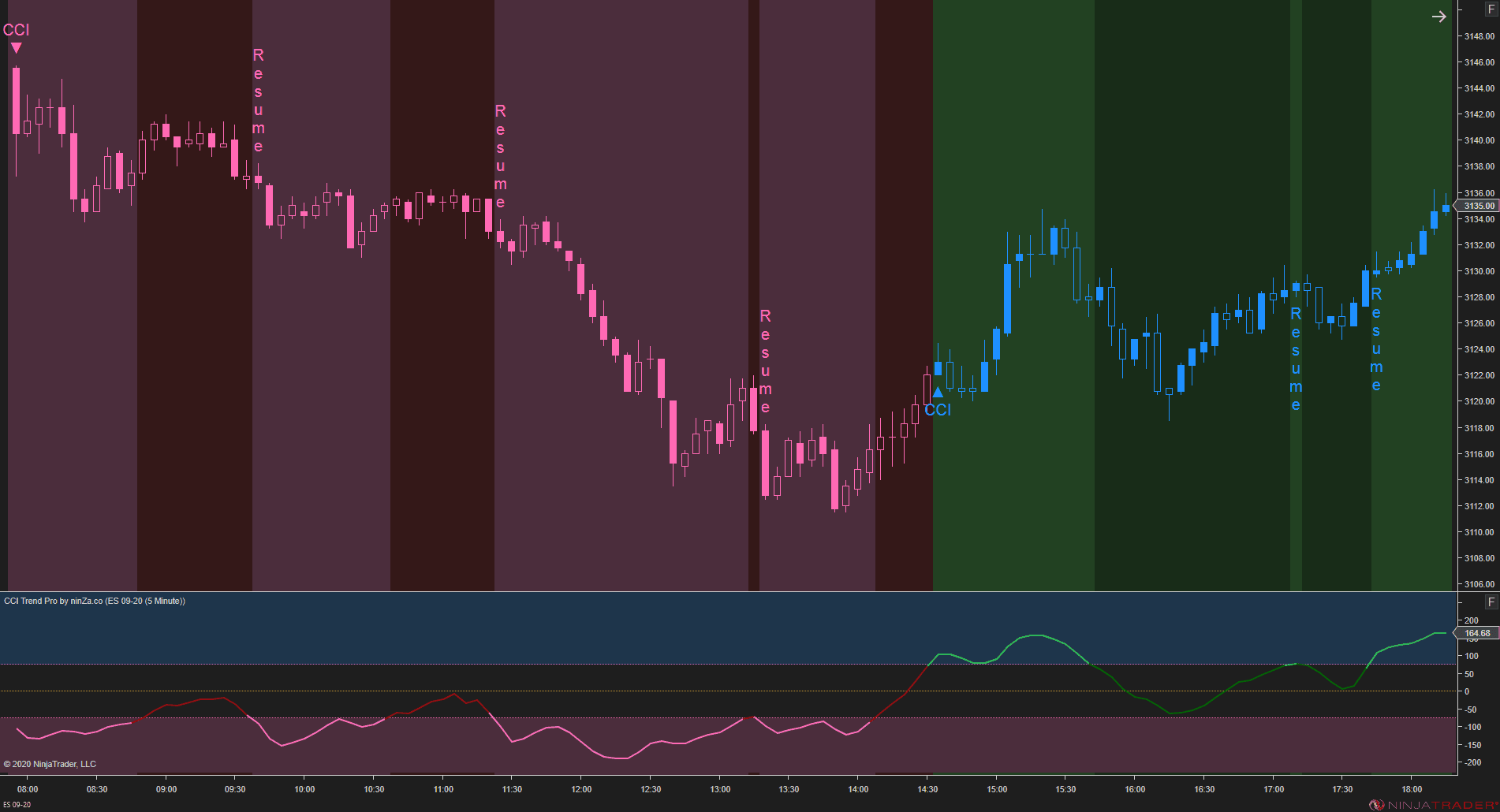
It helps you read momentum direction, separate stronger and weaker phases, and identify when momentum shifts back into strength after a pullback.

banner-image
banner-image
banner-image
banner-image
banner-image
banner-image
banner-image

What CCI Trend Pro helps you do

Read momentum direction

Identify when CCI shifts into bullish or bearish territory based on your defined regions.

Separate strong and weak phases

Understand whether the current trend phase is gaining strength or losing force.

Spot trend-resuming conditions

See when momentum shifts from weak back to strong, which can be useful for trend-following entries.

Customize the CCI calculation

Adjust MA type, multiplier, and smoothing so the CCI reading fits your preferred style.

In Double CCI, CCI Trend Pro is the momentum layer. Using 2 CCI views helps separate the main momentum shift from the supporting confirmation. That gives the setup more structure than relying on one CCI signal alone.
banner-image
banner-image
banner-image
banner-image
banner-image
banner-image
banner-image
Easy Trend

Keep the trend side visible before reading momentum

A moving average is simple.
But used correctly, it can become one of the most important filters in a trend-following workflow.

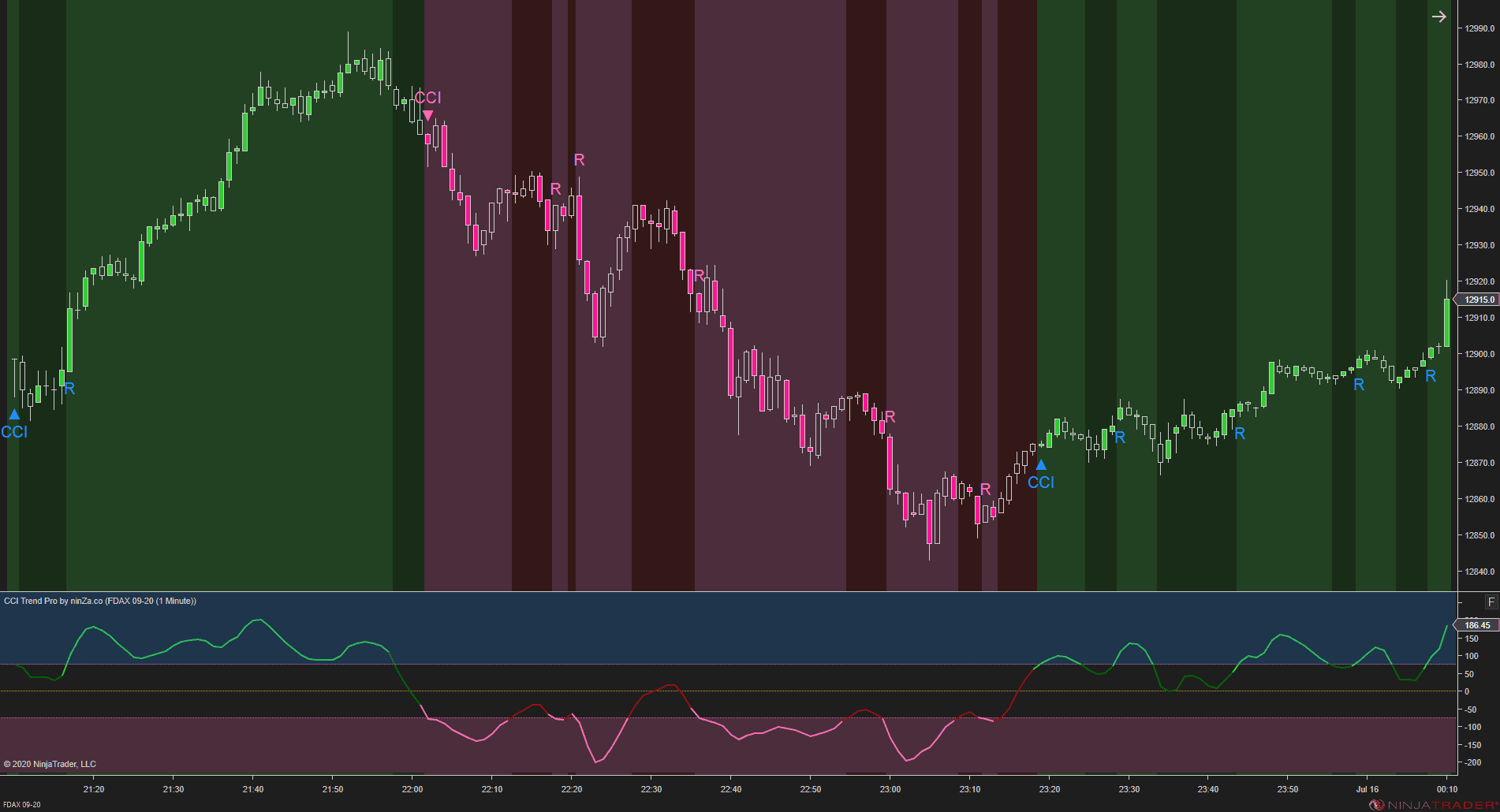
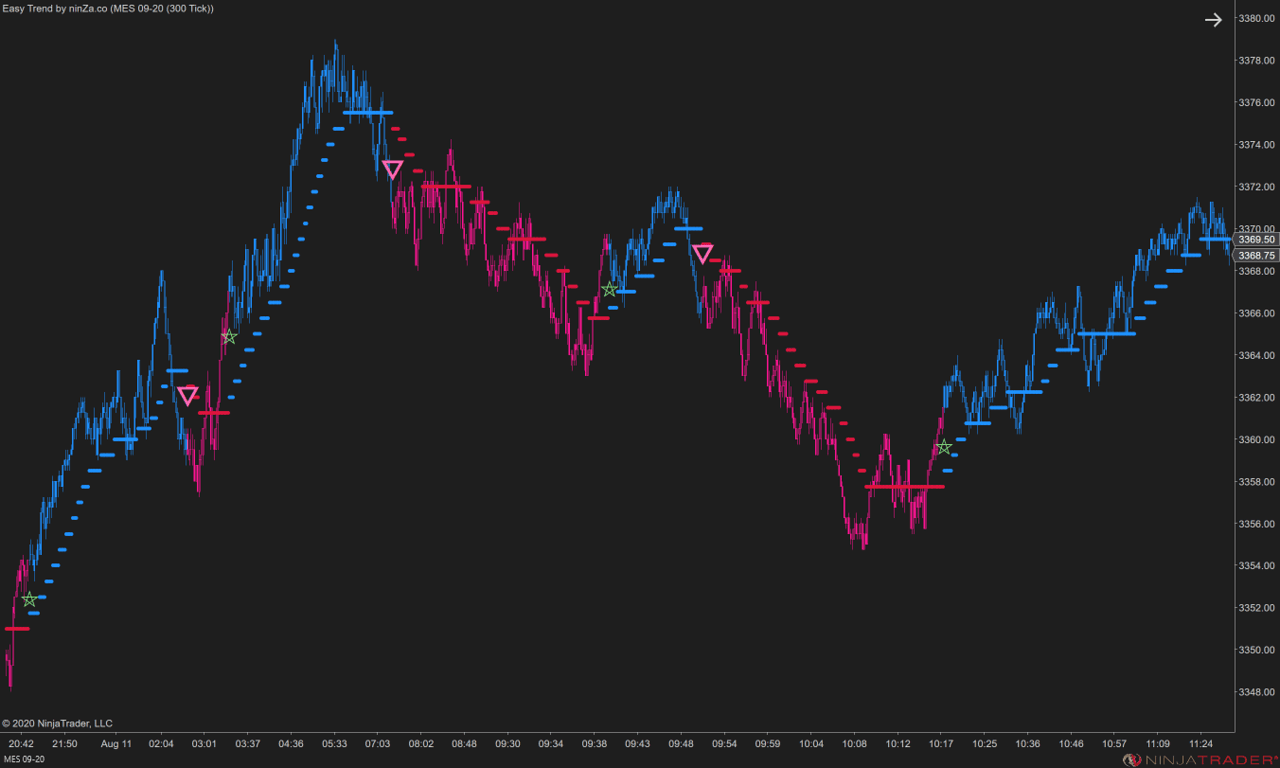
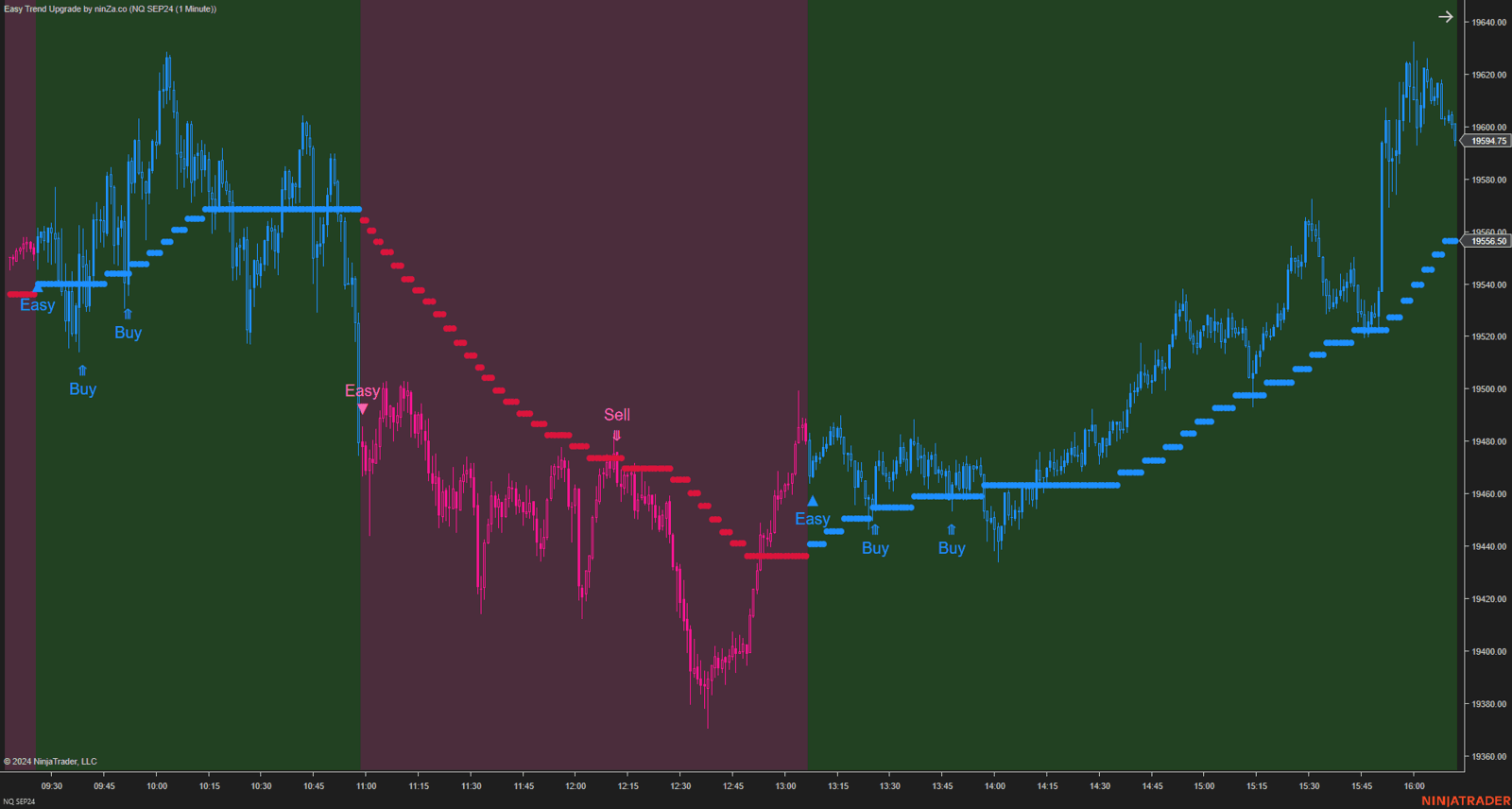
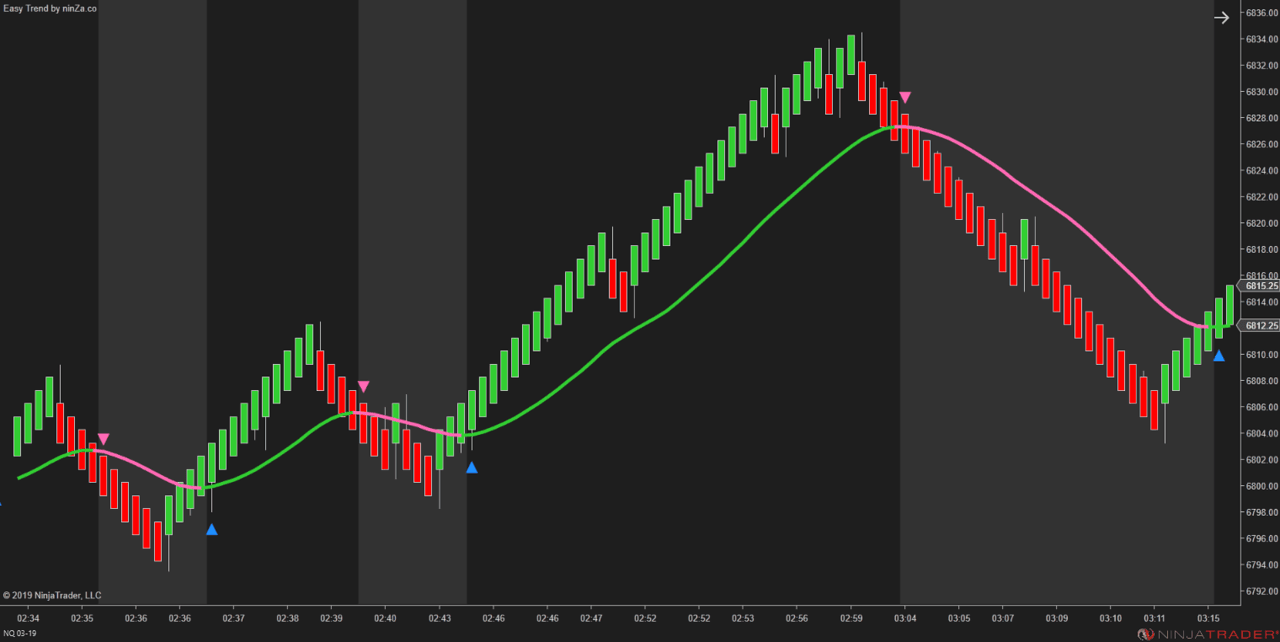
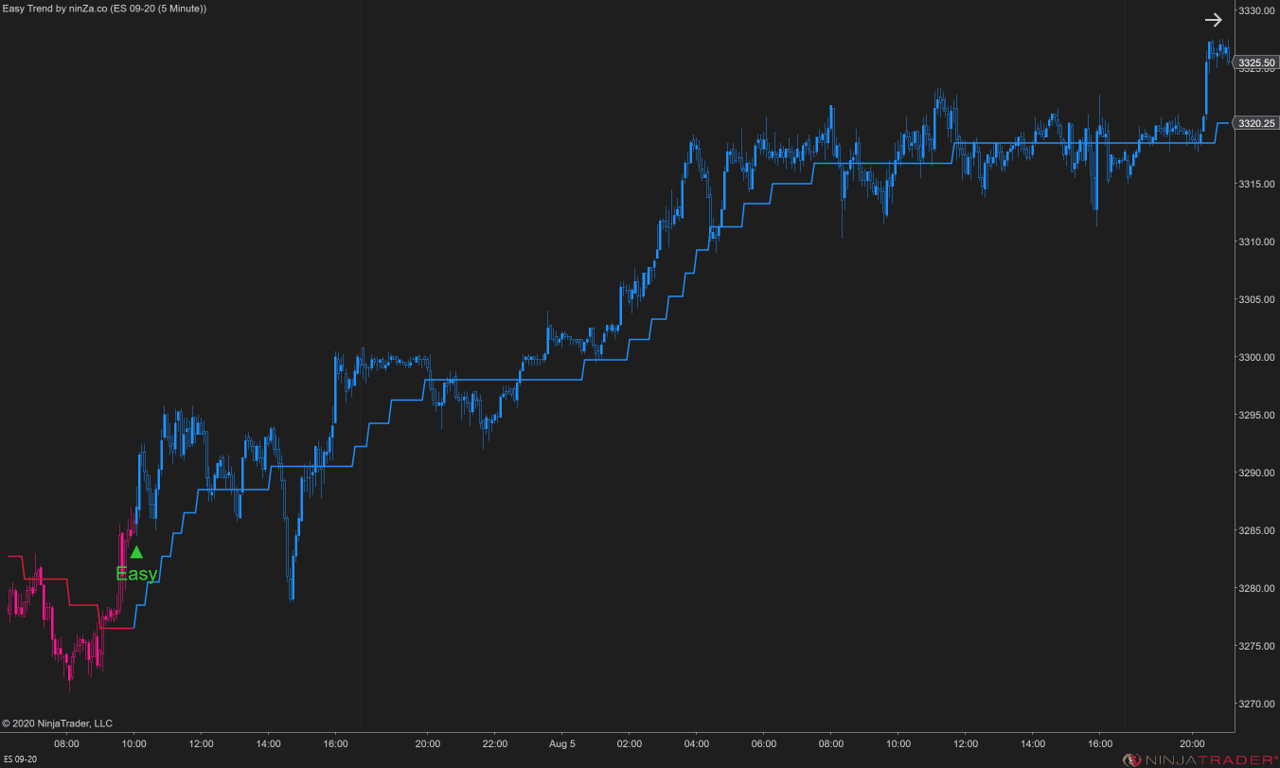
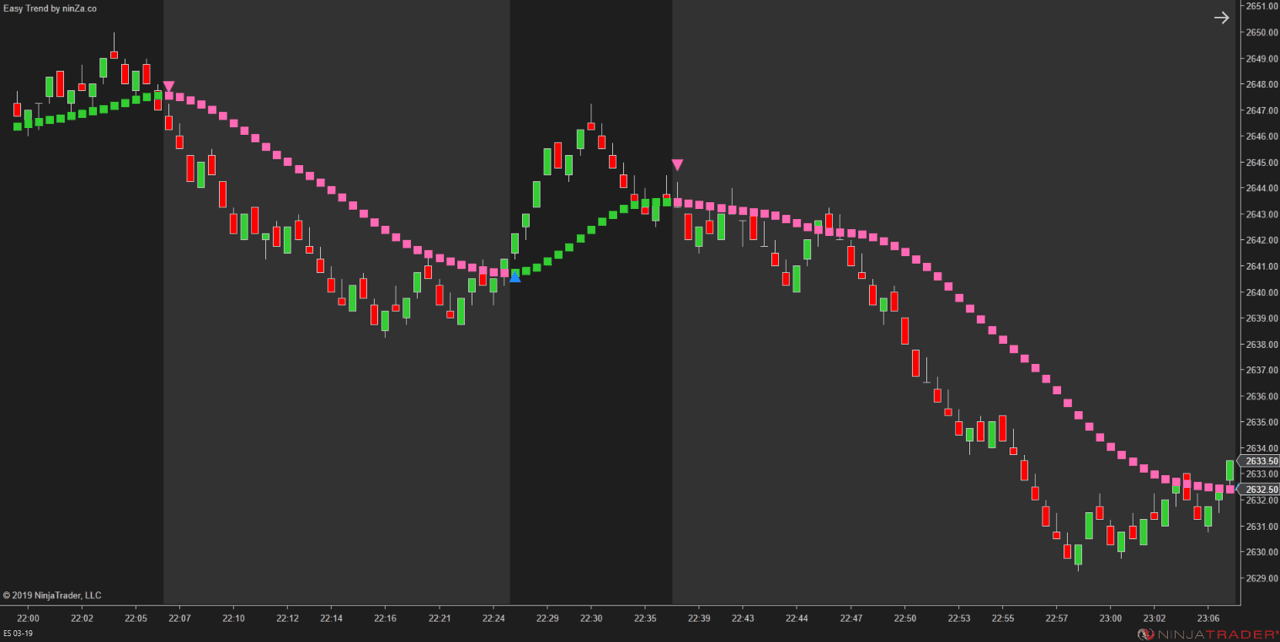
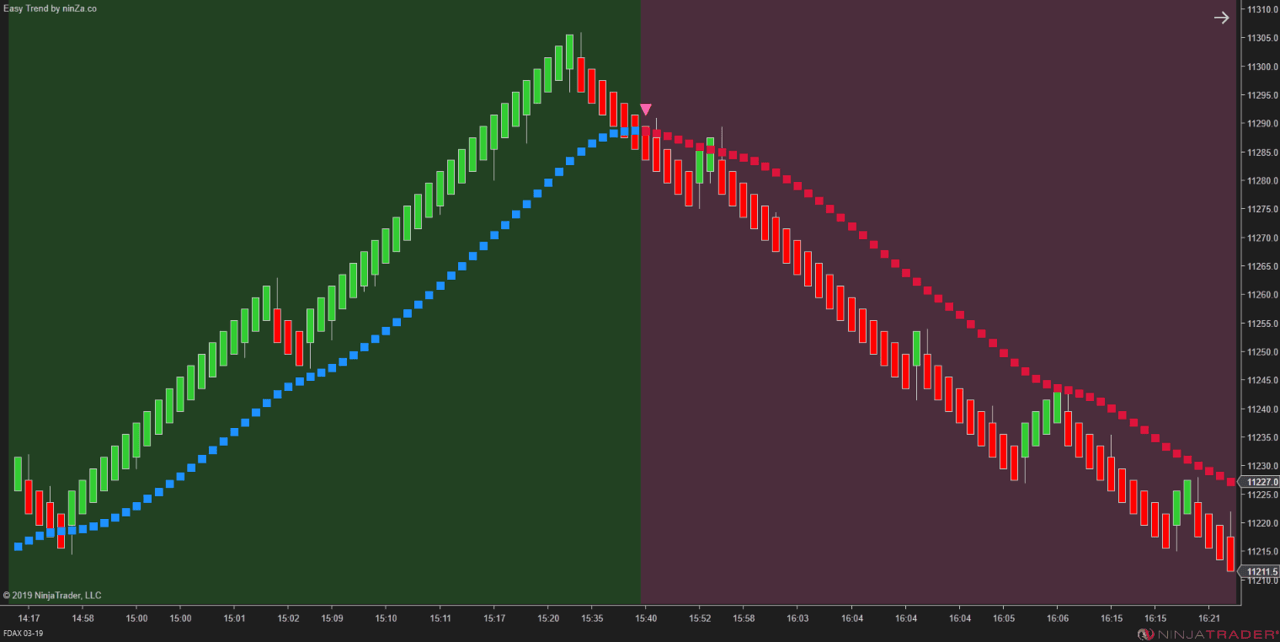
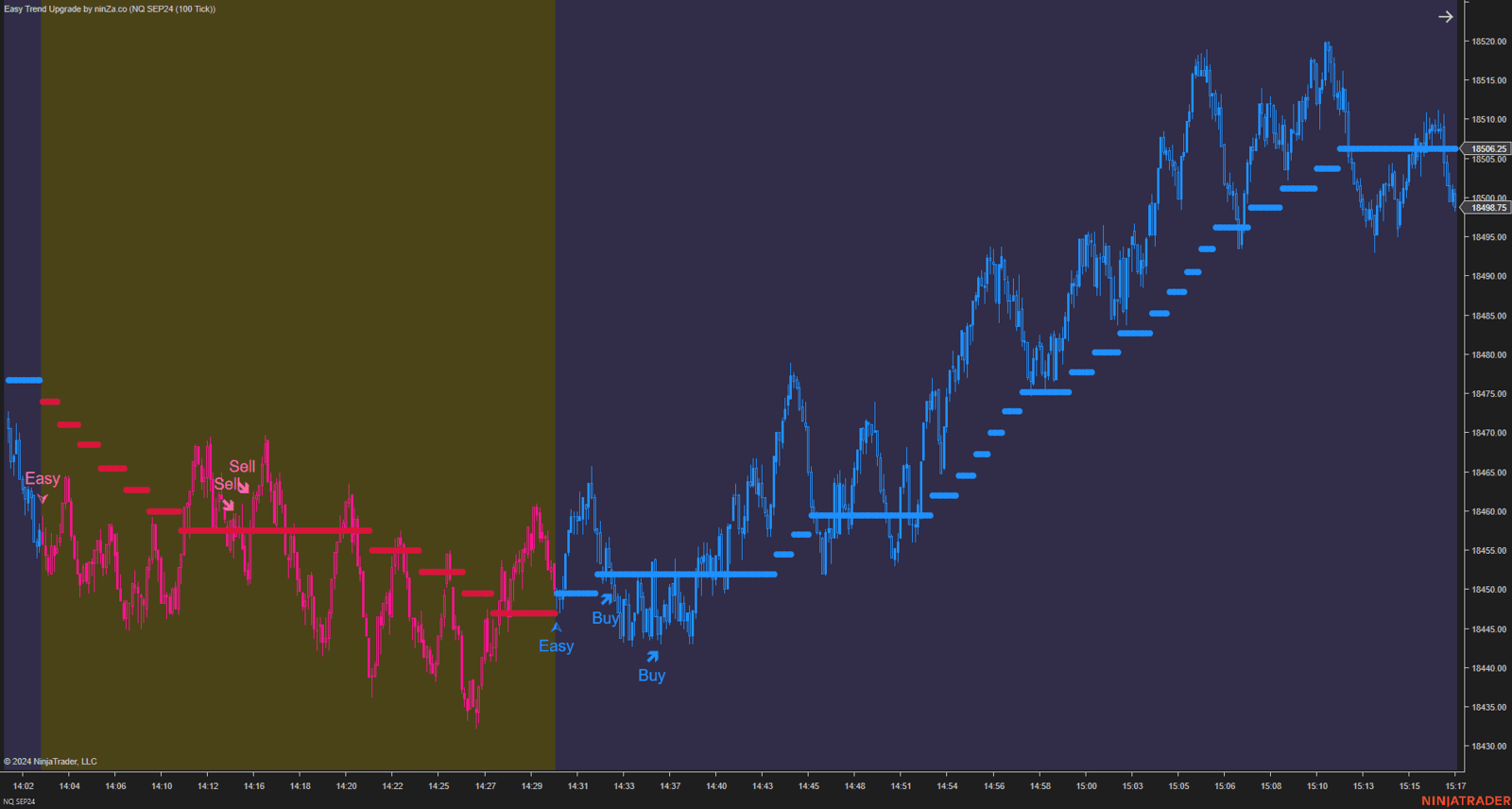
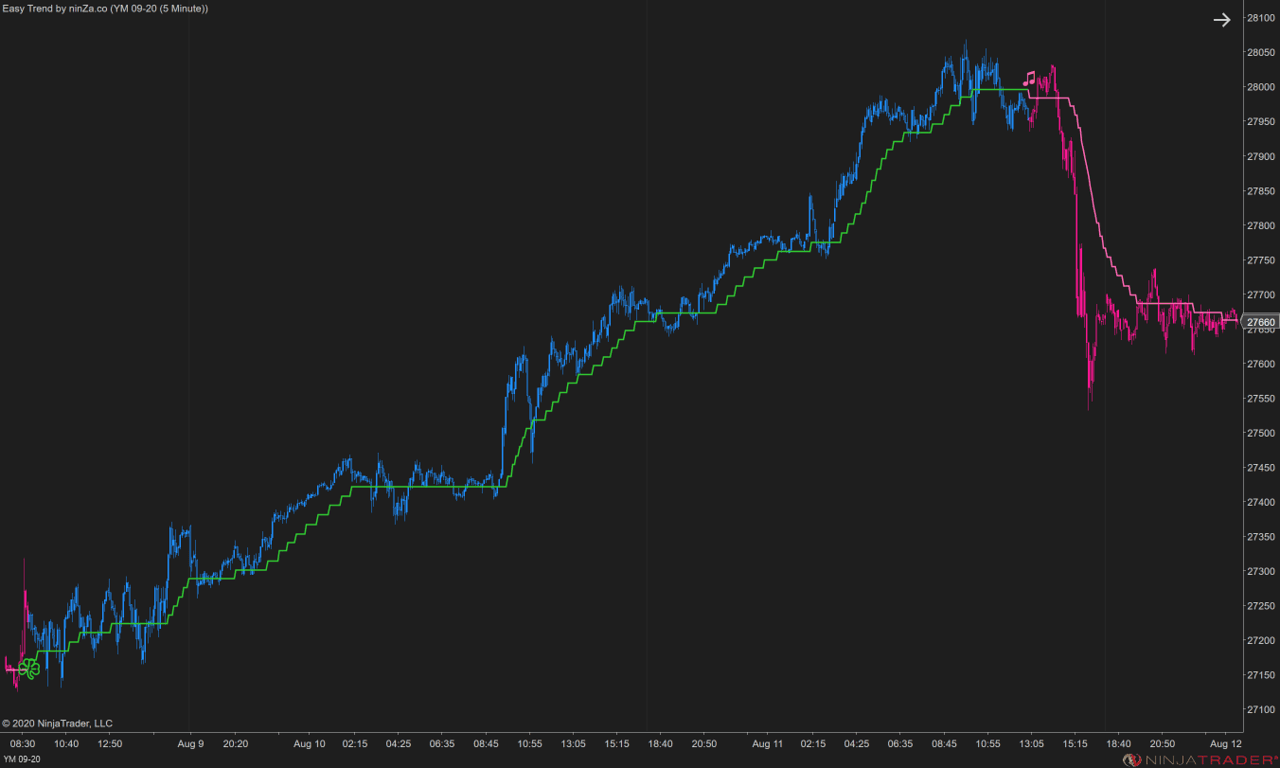
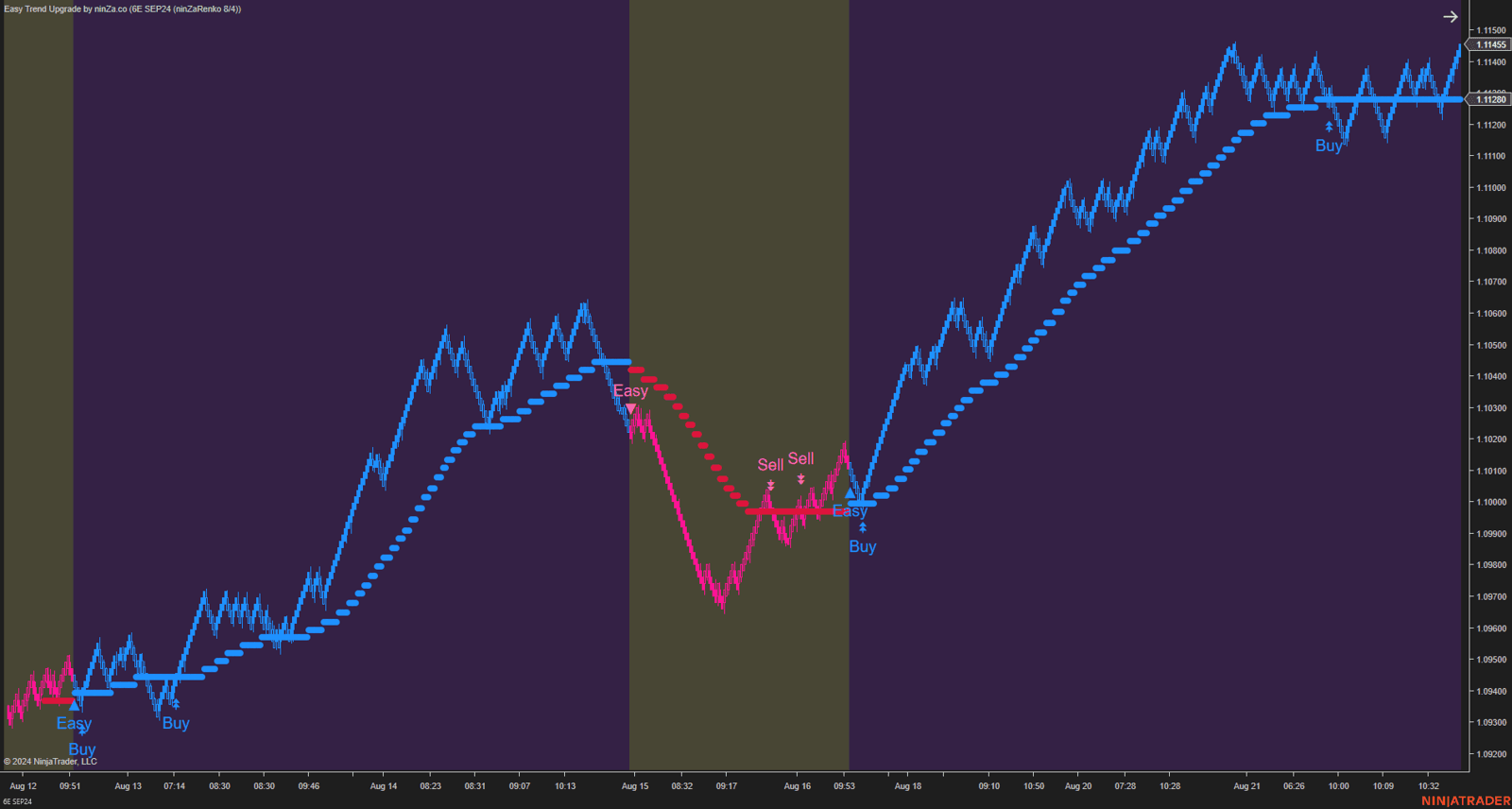
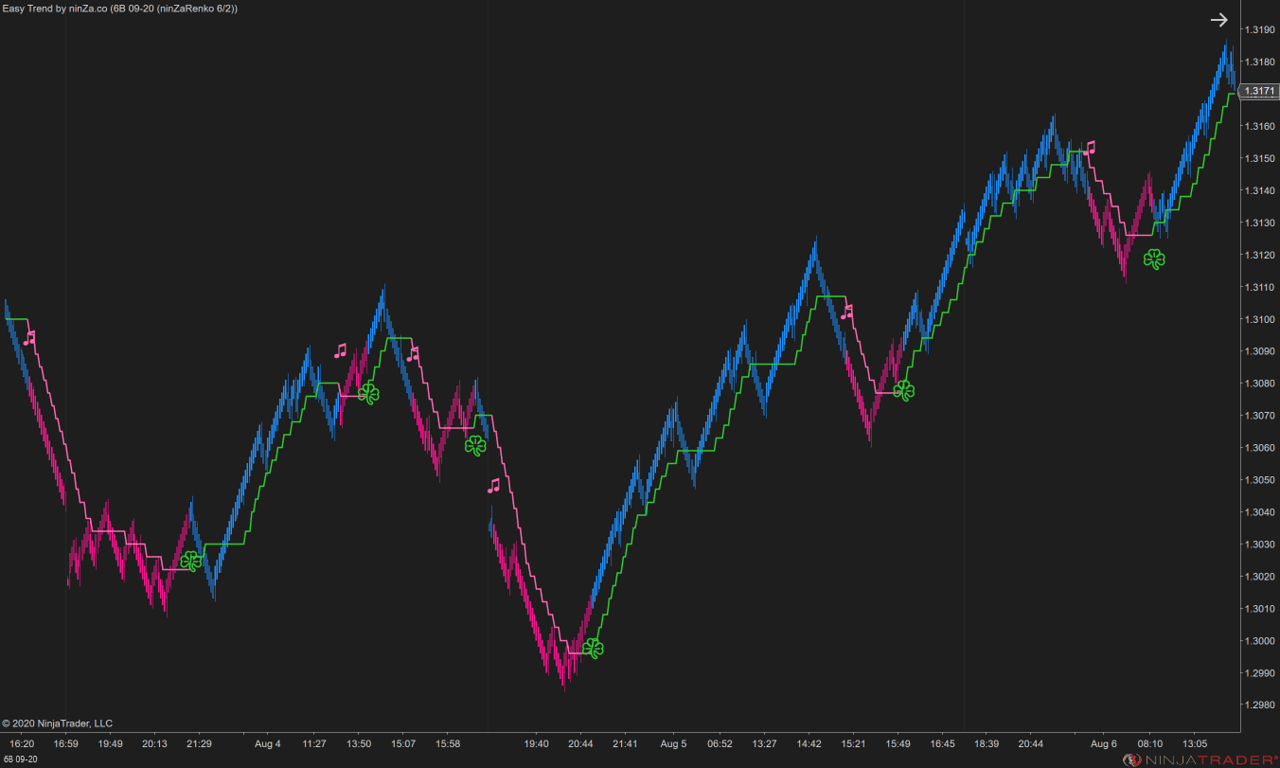
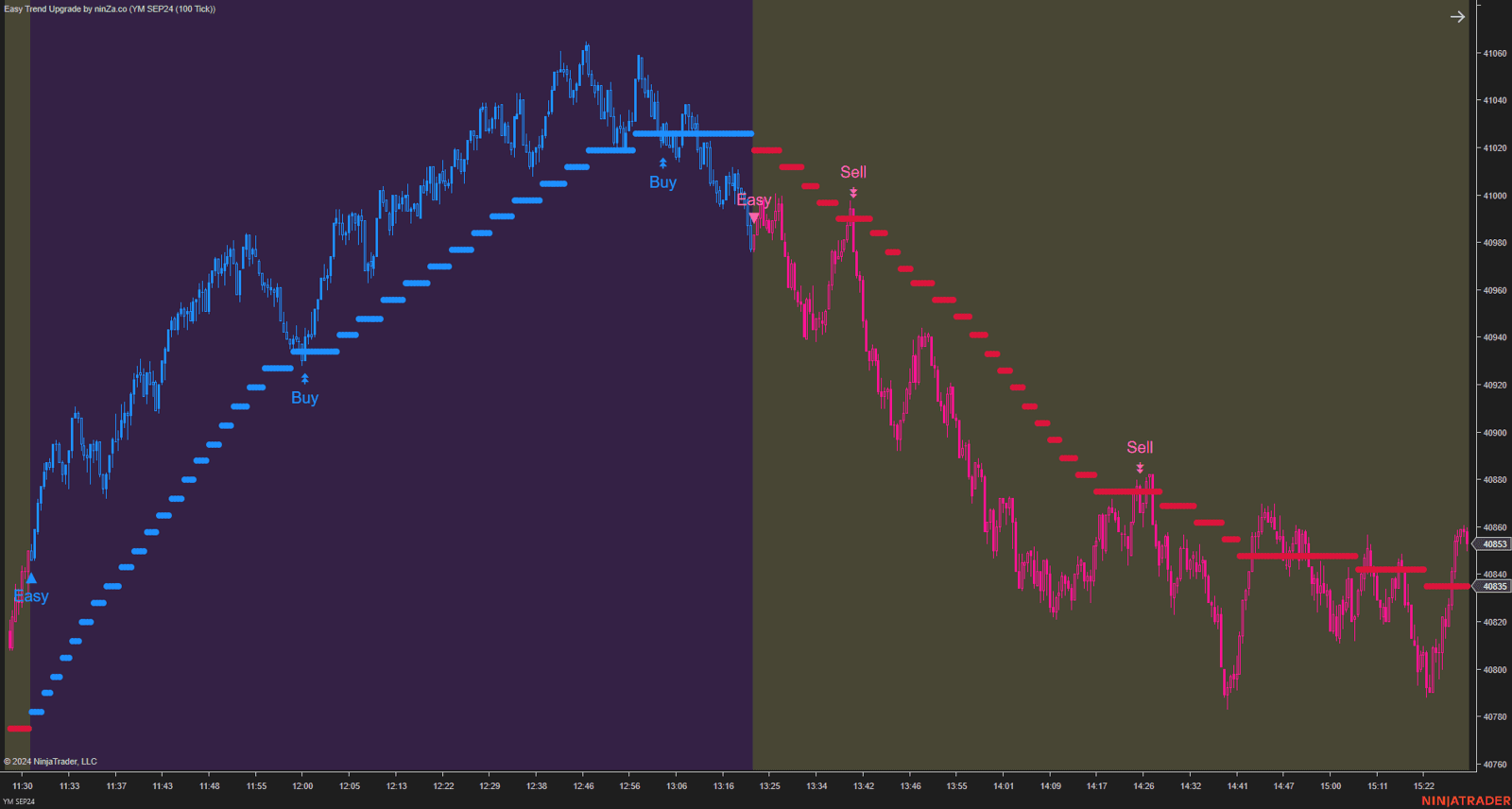
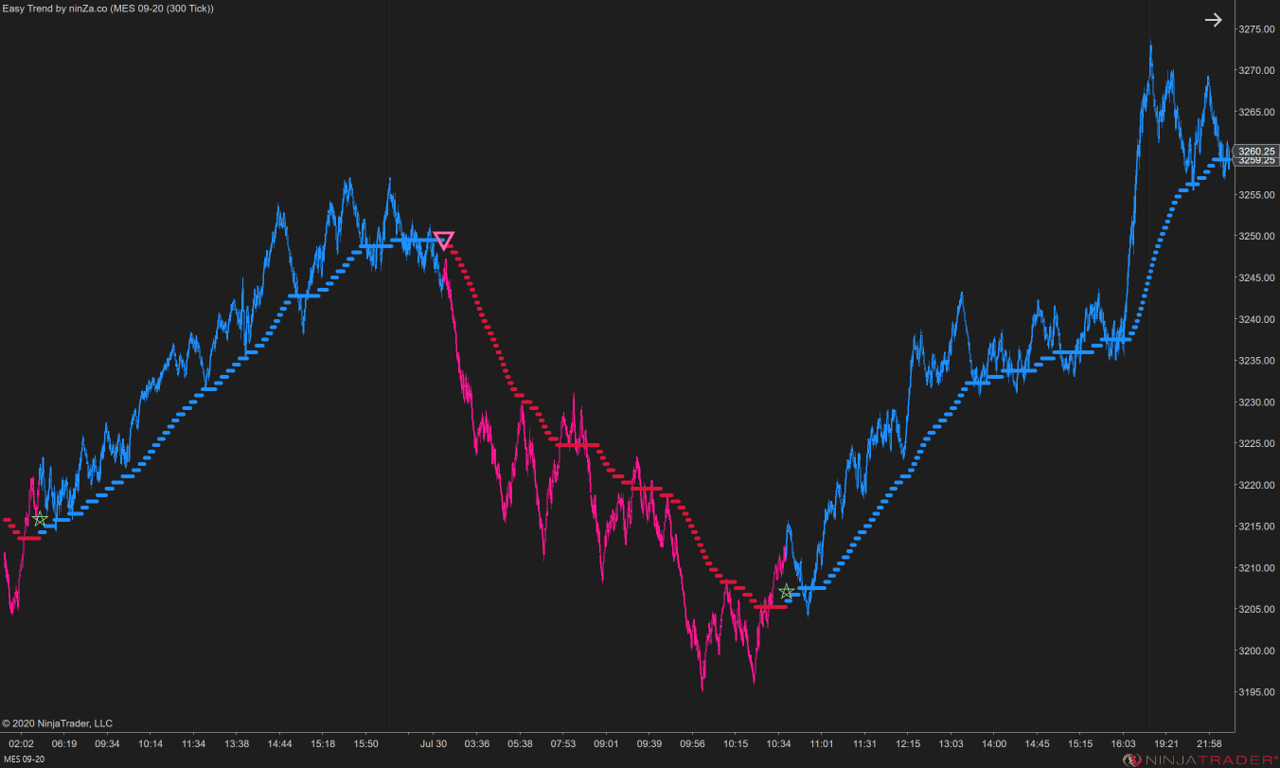
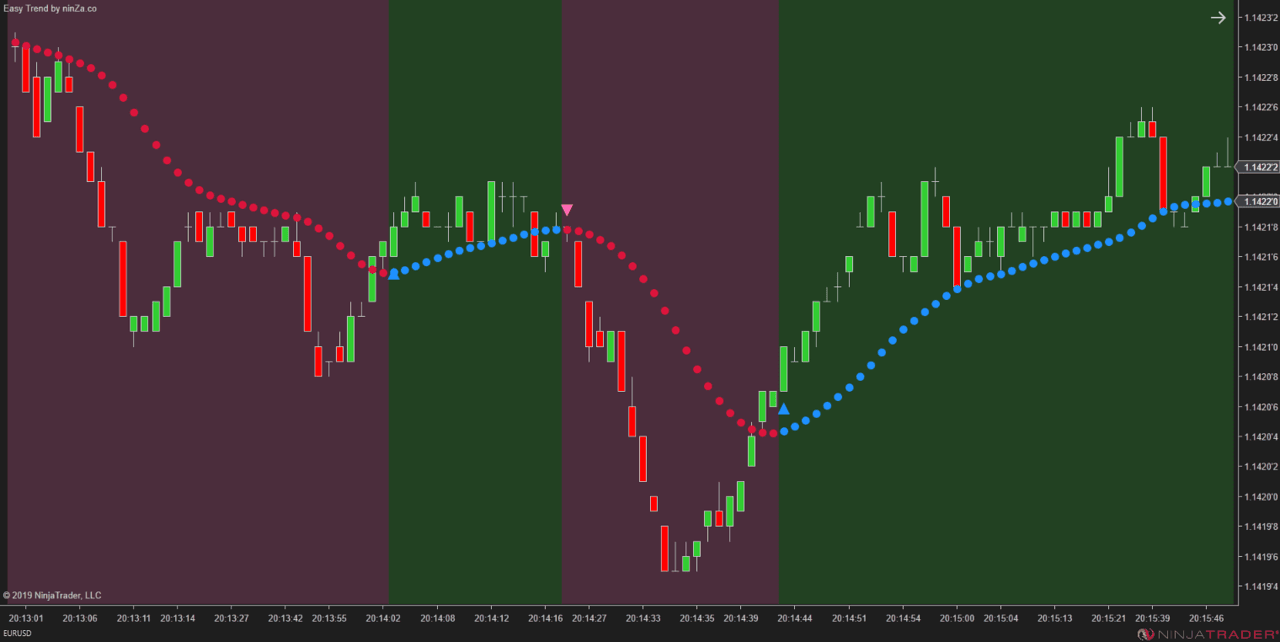
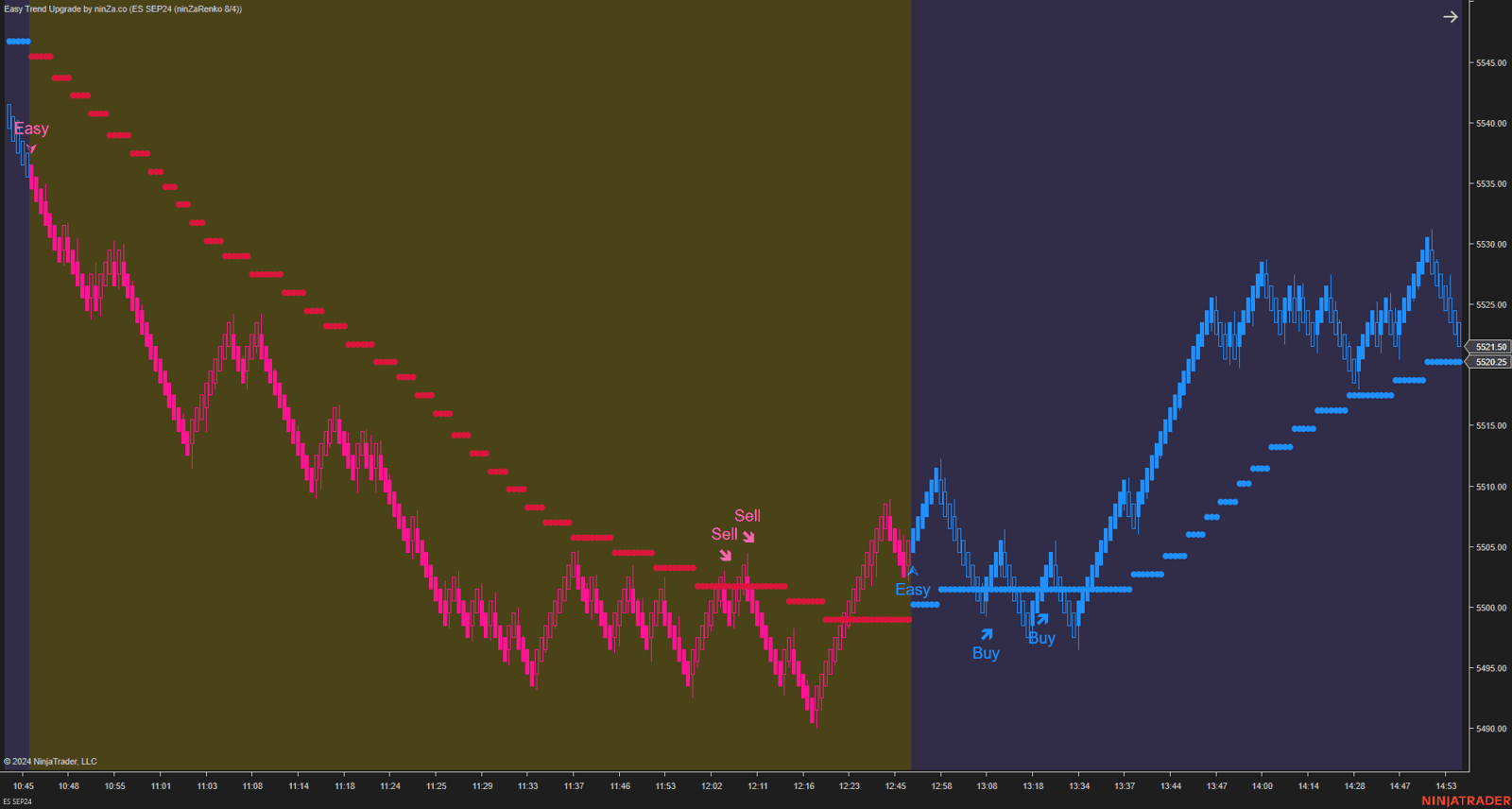
Easy Trend helps you keep market direction visible through colorized plots and/or chart background.

In Double CCI, its role is clear: help you decide whether the market environment supports long setups, short setups, or no setup at all.
banner-image
banner-image
banner-image
banner-image
banner-image
banner-image
banner-image
banner-image
banner-image
banner-image
banner-image
banner-image
banner-image
banner-image
banner-image

What Easy Trend helps you do

Filter trades by trend direction

Focus on long conditions when the trend is bullish and short conditions when the trend is bearish.

Read trend context faster

Use visual color changes to understand market direction without checking the same information again and again.

Customize your moving average structure

Choose from 11 moving average types and 11 smoothing methods, giving up to 121 combinations before period adjustments.

Filter low-quality movement

Set a minimum plot-change requirement in ninZaATR or tick units, so the moving average can stay flat when movement is not meaningful enough.
Easy Trend gives the CCI setup its filter. Without trend context, too many CCI moves can look tradable. With Easy Trend, the workflow becomes more selective: Trend agrees first. CCI confirms second.


Captain Optimus Strong v2

Add automation when the setup becomes rule-based

Double CCI gives you the trend and momentum logic.

Captain Optimus Strong v2 is the optional execution layer for traders who want to turn that logic into a more controlled NinjaTrader strategy workflow.

Double CCI = CCI Trend Pro + Easy Trend
Captain Optimus Strong v2 = optional automation upgrade

When added to the workflow, Captain Optimus Strong v2 helps you connect NinjaScript-based signals, automated entries, rule-based exits, Strategy Analyzer testing, and execution protection.


What Captain Optimus Strong v2 adds

Automated entries

Trigger trades when predefined indicator conditions are met.

Multi-indicator confirmation

Combine CCI Trend Pro, Easy Trend, and other NinjaScript signals into one confirmation workflow.

Rule-based exits

Exit by signal conditions, overlap logic, or a hybrid of both.

Strategy Analyzer compatibility

Send the generated strategy into NinjaTrader Strategy Analyzer for backtesting.

Execution protection

Use controls for consecutive losses, slippage, spread, and pending order expiration.

Reusable templates

Save indicator input settings and reuse them across future workflows.

Once the Double CCI logic is clearly defined, Captain Optimus Strong v2 helps reduce the gap between what the setup says and how it is executed. The goal is not just automation. The goal is a cleaner operating process: Defined logic → tested workflow → controlled execution.

What changes when the layers work together

Double CCI helps you read the setup with more structure. Captain Optimus Strong v2 helps you operate that setup with more control.

Together, they create a practical path from chart reading to rule-based execution.

1. Cleaner trade filtering

Easy Trend helps define the market side first, so CCI momentum is not judged in isolation.

2. More structured momentum confirmation

CCI Trend Pro helps separate momentum direction, strength, and trend-resuming conditions.

3. More selective entries

The workflow encourages you to wait for trend context, CCI confirmation, and price confirmation instead of reacting to every CCI move.

4. Easier strategy testing

With Captain Optimus Strong v2, the setup can be reviewed in NinjaTrader Strategy Analyzer before being considered for live use.

5. More controlled execution

Automated entries, rule-based exits, and execution protection help keep the workflow closer to its original logic.

Antonino’s Double CCI setup

A practical CCI workflow from Antonino

Antonino’s setup uses Double CCI as a trend-following momentum workflow.

Trend filter first.

The setup starts by defining the market side.

Dual CCI confirmation second.

Momentum is checked through 2 CCI Trend Pro views.

Price trigger last.

The entry waits for price to confirm the signal bar.

This is where the workflow gets specific.

Chart setup

Preferred timeframe

From 2-minute charts to higher timeframes

Trend filter

34-period EMA, applied through Easy Trend or a colorized EMA setup

Momentum structure

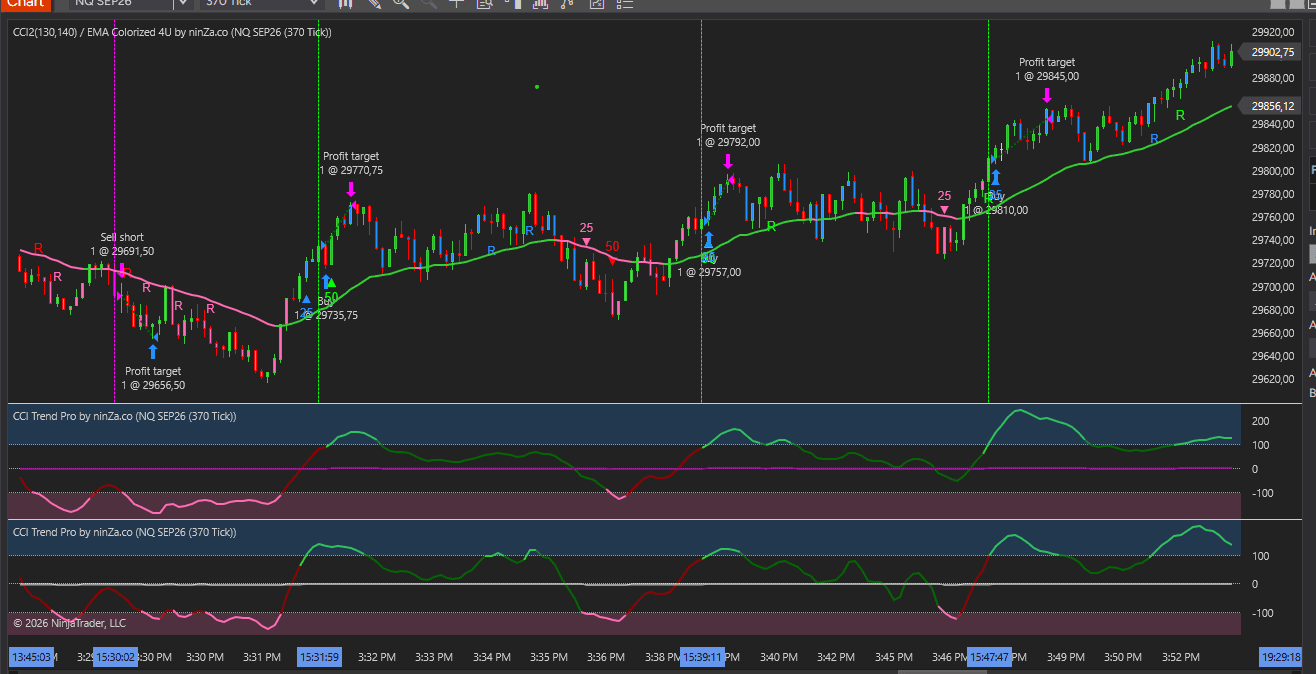
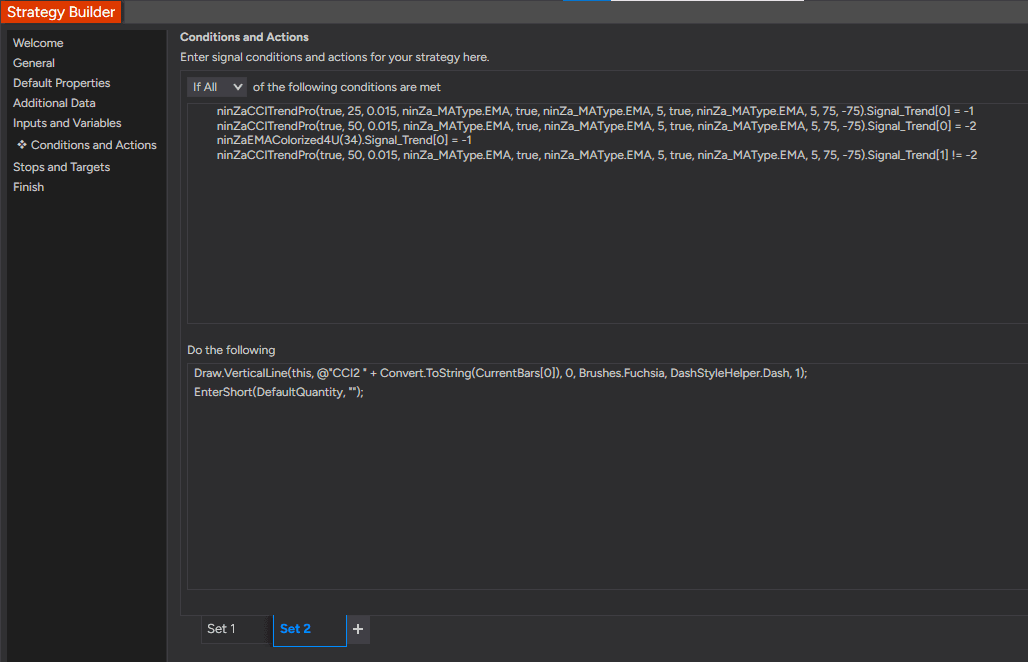
2 instances of CCI Trend Pro: 1 CCI Trend Pro set to 50-period CCI and 1 CCI Trend Pro set to 25-period CCI

The slower CCI is used to read the main momentum shift. The faster CCI helps confirm that momentum is already aligned.

CCI shows the shift. Price confirms the trade.

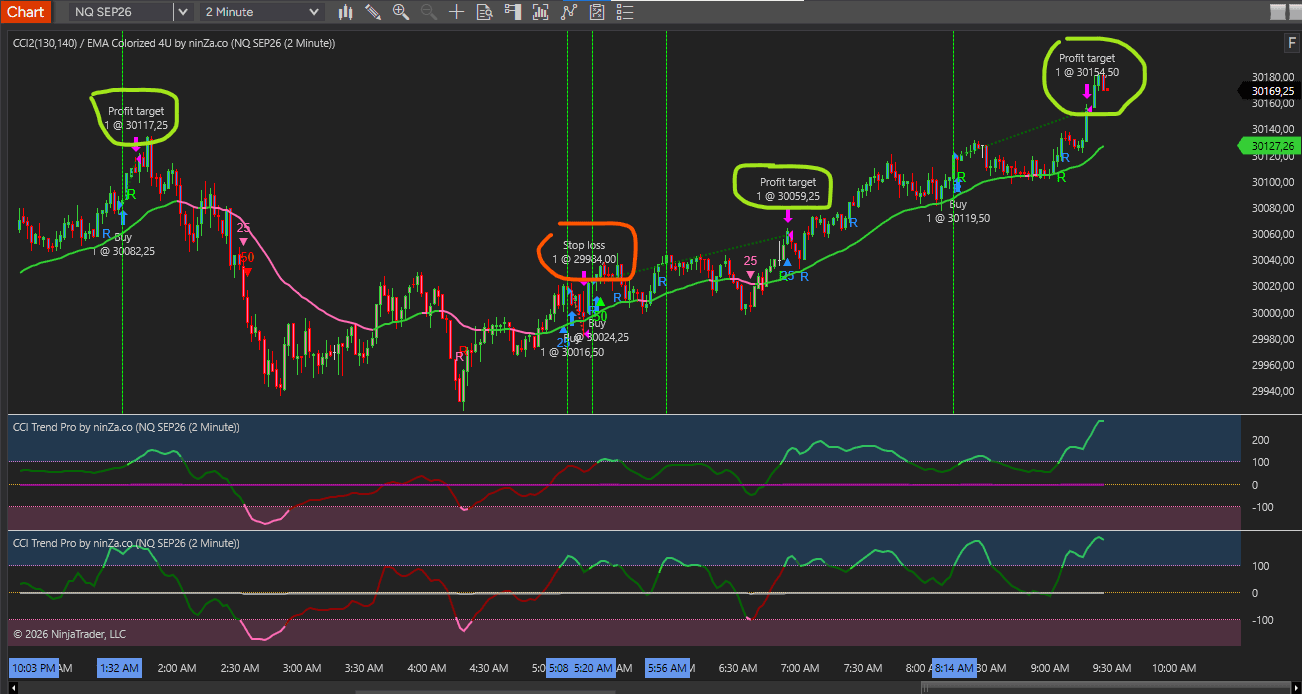
In this workflow, the CCI zero-line cross is used as a momentum-shift reference.

But Antonino does not rely on the CCI cross alone.

Check the trend filter

Whether price is aligned with the trend filter.

Check the second CCI

Whether the second CCI already supports the same direction.

Check the price trigger

Whether price breaks the signal bar after the momentum shift.

This keeps the workflow more rule-based and helps avoid treating every CCI cross as a trade.

Long condition

When trend and momentum align upward

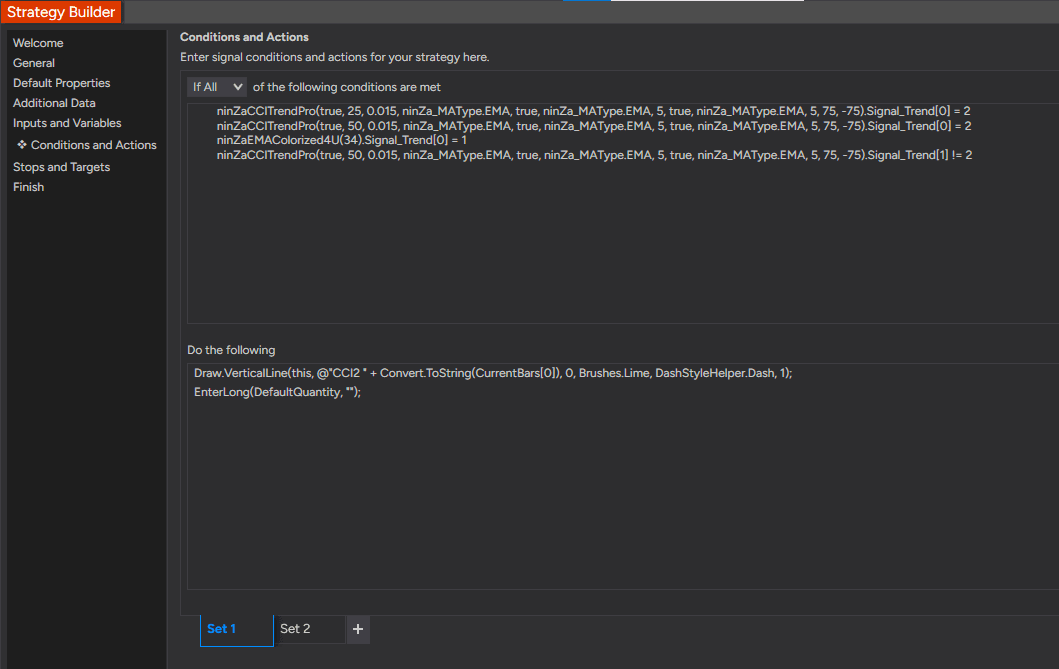
For a long setup, Antonino looks for this sequence:

  • Price closes above the 34-period EMA
  • The 50-period CCI crosses above the zero line
  • The 25-period CCI is already above the zero line
  • Entry triggers when a later bar breaks the high of the signal bar

In plain trading language: The market is above the trend filter, the main CCI shifts bullish, the faster CCI confirms, and price breaks the signal bar high.

That turns a CCI cross into a more complete long condition.

Short condition

The same structure, reversed for sell setups

For a short setup, Antonino uses the opposite condition:

  • Price closes below the 34-period EMA
  • The 50-period CCI crosses below the zero line
  • The 25-period CCI is already below the zero line
  • Entry triggers when a later bar breaks the low of the signal bar

In plain trading language: The market is below the trend filter, the main CCI shifts bearish, the faster CCI confirms, and price breaks the signal bar low.

The logic stays consistent on both sides of the market.

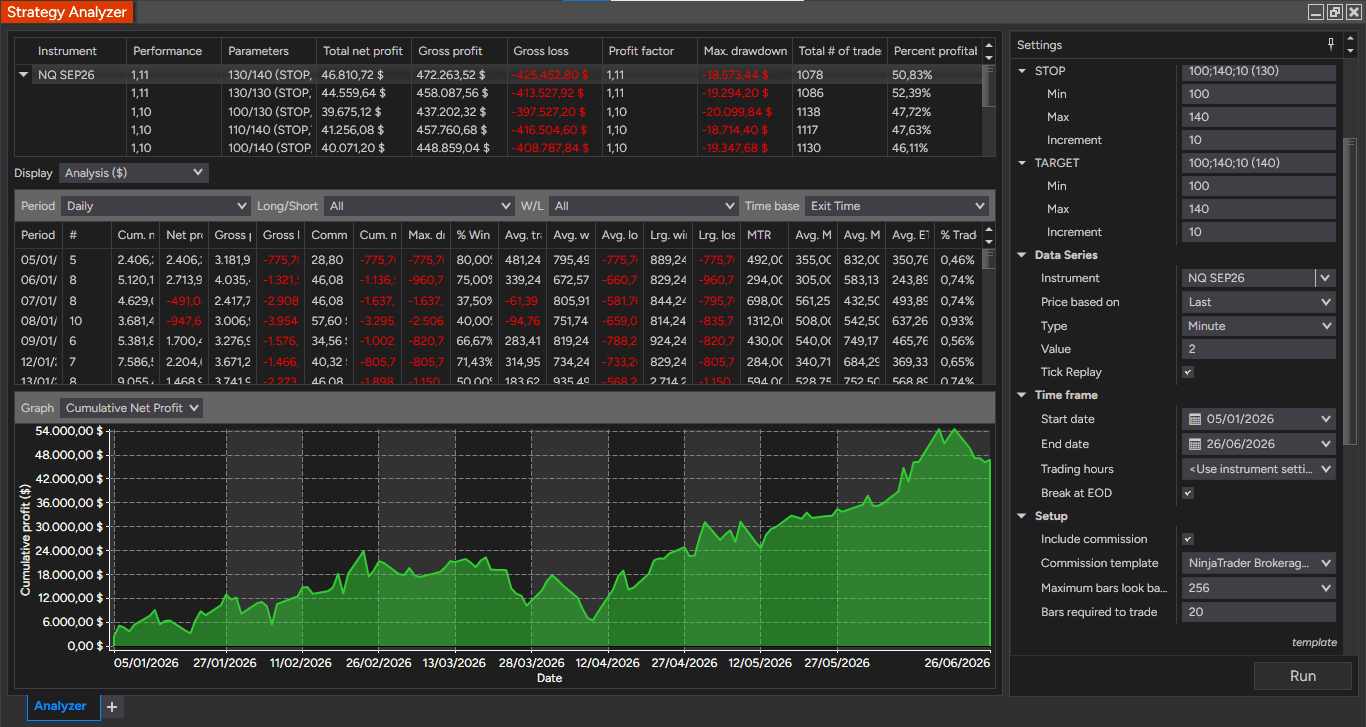
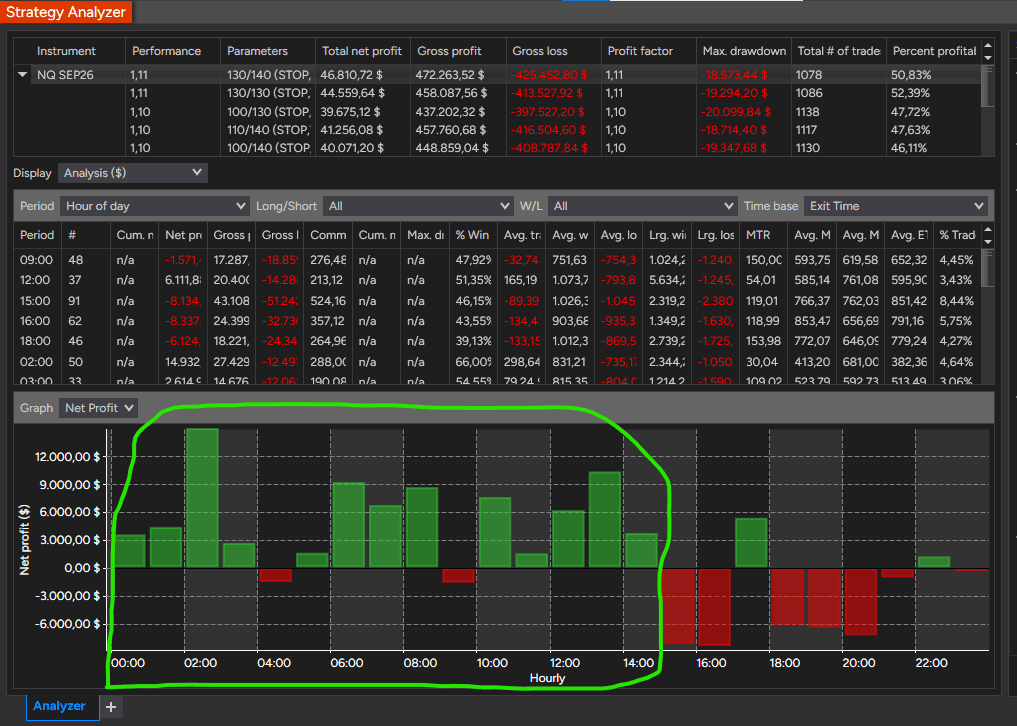
Antonino’s 6-month Strategy Analyzer sample

Antonino also shared a Strategy Analyzer sample based on this workflow.

Test conditions shown

▣ Instrument

NQ SEP26

◷ Timeframe

2-minute chart

▤ Test period

Jan 5, 2026 to Jun 26, 2026

◇ Commission

Included

↻ Tick Replay

Enabled

Key stats shown in the sample

◇ Total net profit

$46,810.72

◎ Profit factor

1.11

▽ Max drawdown

$18,573.44

▦ Total trades

1,078

◉ Percent profitable

50.83%

The important point is not just the net result.

It is that the setup was tested across a larger sample of trades instead of being shown only through selected chart examples.

That gives traders a better starting point to study the logic, adjust the settings, and decide whether the workflow fits their own market, timeframe, and risk plan.

A setup should be visible, testable, and adjustable

A trading idea becomes more useful when it can be clearly defined.

Antonino’s Double CCI workflow turns a common CCI concept into a structured process:

Trend filter
Dual CCI momentum confirmation
Price-based entry trigger
Optional automated execution with Captain Optimus Strong v2
Strategy Analyzer review before live use

It does give you a cleaner way to study the setup, test variations, and build your own trading plan around defined rules.

Who this workflow is built for

It fits you if you want to:

  • Read CCI momentum with clearer trend context
  • Build a cleaner long/short rule set
  • Study Antonino’s Double CCI workflow on your own chart
  • Automate entries from indicator conditions
  • Build rule-based exits instead of relying only on manual decisions
  • Test the setup in NinjaTrader Strategy Analyzer
  • Use slippage, spread, and loss protection controls
  • Save and reuse indicator templates for more consistent setup
  • Move from chart reading into a more controlled strategy workflow

Choose your Double CCI access

Choose the current R2B bundle that fits the level of workflow you want to build.

Option 2

[AbsP] Double CCI

For traders who want the core trend + CCI momentum setup

This option includes the 2 core products behind Double CCI.

Included
CCI Trend Pro
Easy Trend
Personalized support
Easy Trend trader’s manual & templates

Current R2B bundle price

$270 

This option gives you the core trend and CCI momentum workflow without the optional automation layer.


See the 30-day exchange option ↓

Zuture Exchange

Apply your selected workflow in your own market conditions

Use the framework for up to 30 days.

If you decide another trading framework is a better fit for the way you analyze the market, we’ll help you exchange your access with little or no additional investment.

This gives you room to study the setup on your own chart, test the workflow, and decide whether it fits the way you trade.

Bring trend, momentum, and execution into one cleaner workflow

Double CCI helps you connect trend direction, CCI momentum, and price confirmation.

Captain Optimus Strong v2 gives you the next layer: automation, backtesting, rule-based exits, and execution protection.

If you want the core indicator workflow, choose Double CCI.

If you want the full strategy operation workflow, choose Double CCI + Captain Optimus Strong v2.

Download ~ 40 FREE indicators & reach more useful resources !!!

Your most-used email

See Highway Fractal Zone in real market conditions
Watch it scalp NQ with 9 winning trades in under 3 minutes.


Join server
discord-avatar

ninZa.co Indicators

0 online